
Buying Guide
Best Portable Power Stations With UPS: 4 Backup Picks
Compare the best portable power stations with UPS features for routers, workstations, and outage planning, with four verified picks and practical backup limits.
Product Shortlist
Featured products
Product
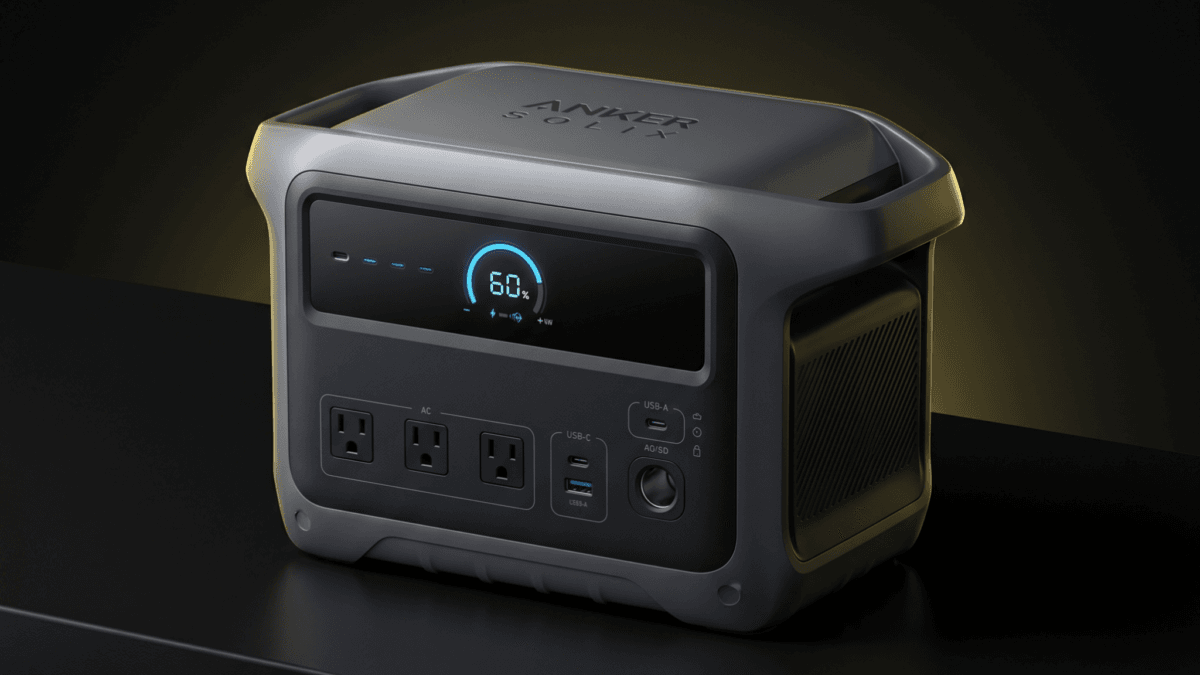
Anker SOLIX C1000 Gen 2 Portable Power Station
Compact 1,024Wh portable power station with 2,000W output, 3,000W peak, 49-minute fast AC recharge, 600W solar input, and 10 ms UPS support for home backup, camping, and RV use.
Product
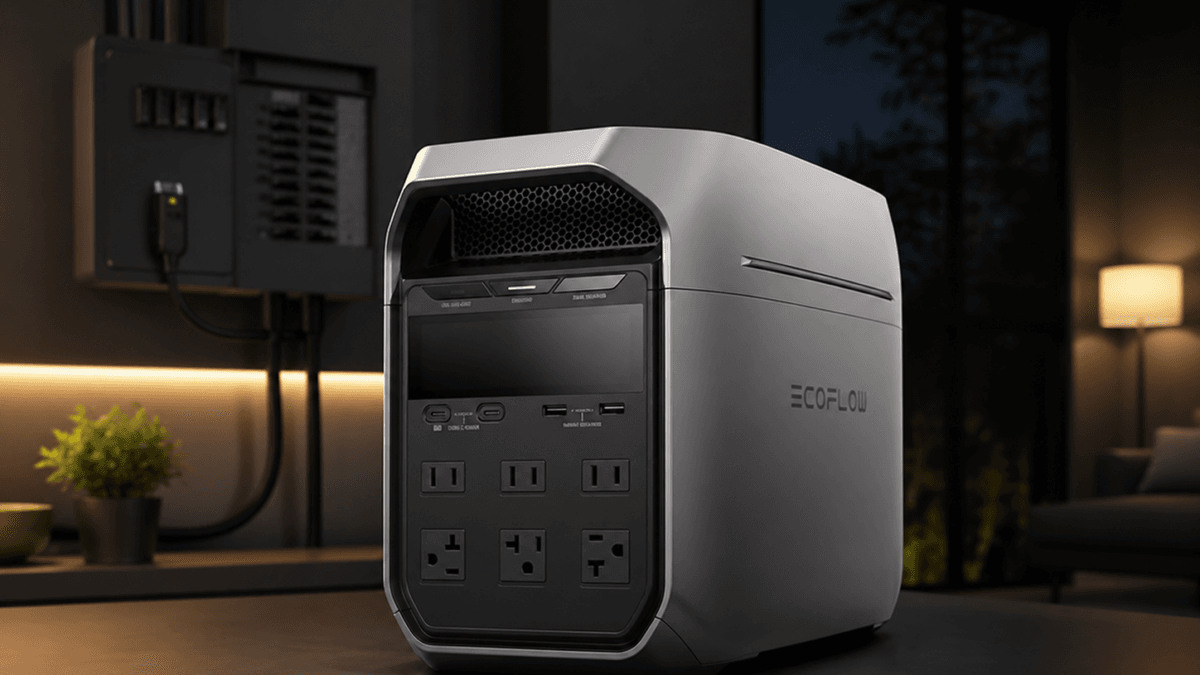
EcoFlow DELTA 3 Plus Portable Power Station
Compact 1,024Wh LFP portable power station with 1,800W AC output, fast recharge, 1,000W max solar input, UPS support, and expandable battery compatibility.
Product
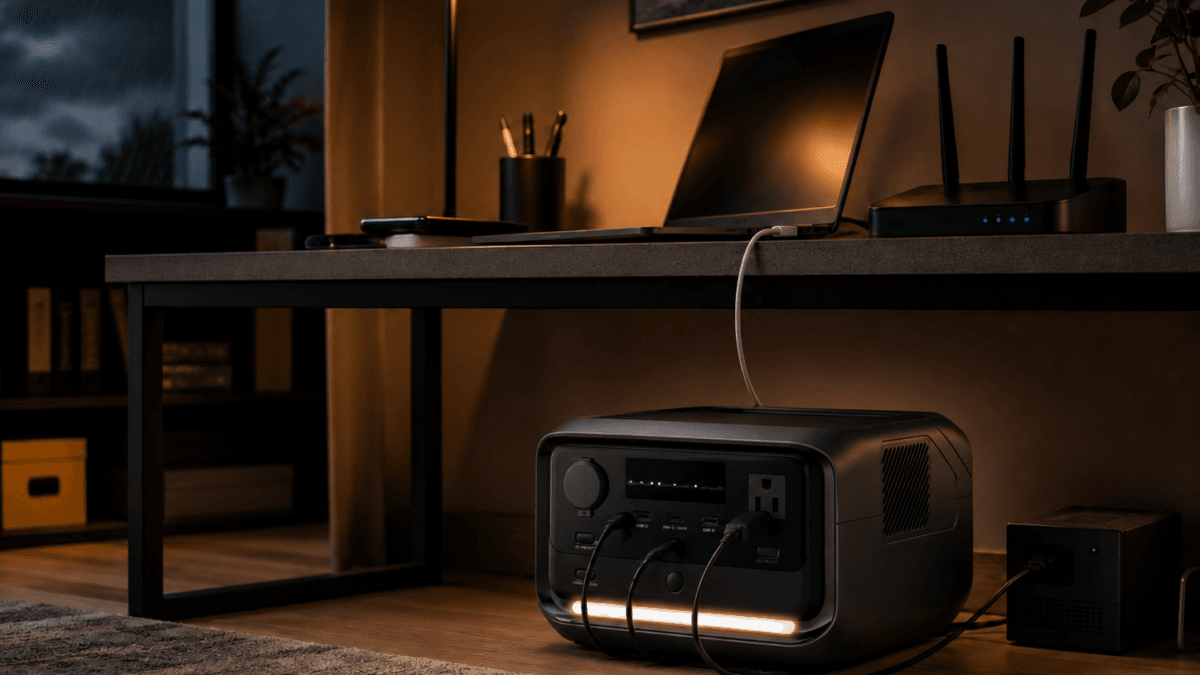
EcoFlow RIVER 3 Plus Portable Power Station
The EcoFlow RIVER 3 Plus portable power station delivers 286Wh LiFePO4 capacity, 600W output, sub-10ms UPS switchover, and 1-hour fast charging in a 10.4 lb unit. Built for home office UPS protection, apartment backup, and lightweight camping power.
Product
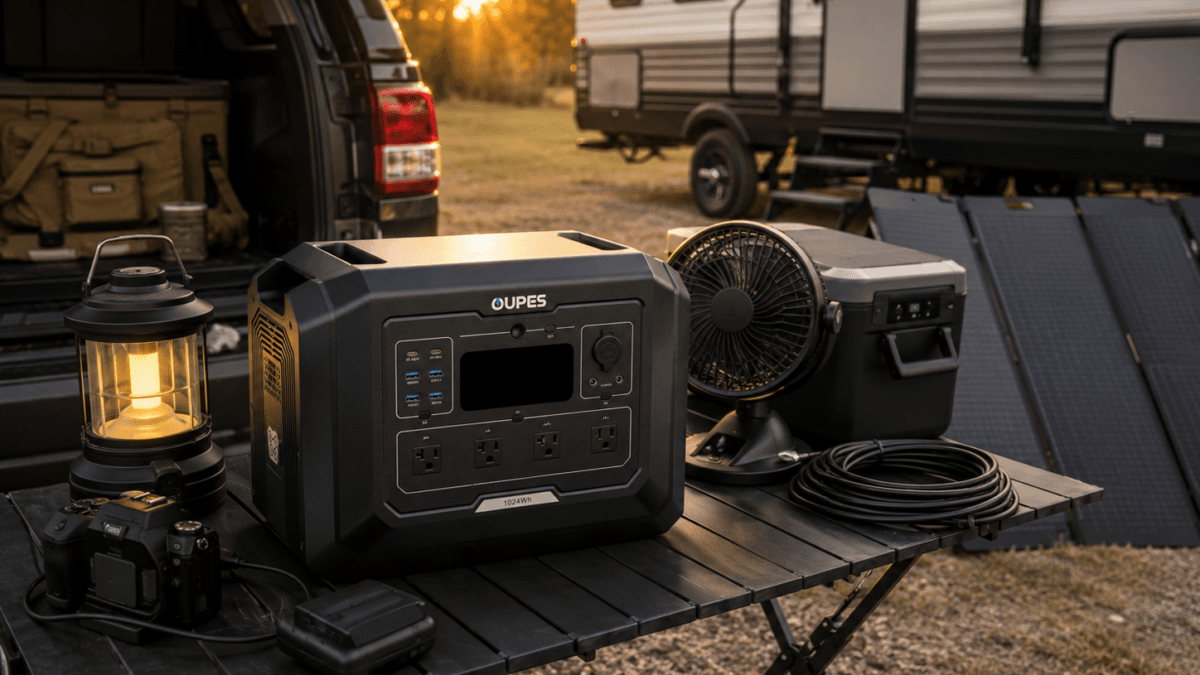
OUPES Mega 1
Expandable 1024Wh LiFePO4 portable power station with 2000W AC output, 4500W surge power, 800W solar input, app control, and UPS/EPS support. Best suited for short outages, garage backup, RV weekends, camping, and value-focused expandable backup planning.
This article may contain affiliate links. If you buy through these links, PowerLabPro may earn a commission at no extra cost to you. As an Amazon Associate I earn from qualifying purchases.
A router, work laptop, desktop computer, network-attached storage device, and monitor do not all need the same backup solution. Some need a fast switchover; others mainly need enough stored energy to stay useful after the outage has already started. The best portable power stations with UPS are the ones that match the actual equipment and the failure you are trying to cover.
A power station with UPS or EPS-style features can be valuable, but it is not automatically a replacement for a dedicated online UPS protecting a critical workstation or business server. Verify transfer behavior, operating mode, outlet limits, and the device manufacturer’s guidance before relying on it. This guide uses manufacturer-listed specifications, verified PowerLabPro records, and practical backup planning. No hands-on lab testing, runtime guarantees, or current price claims are made.
The best portable power stations with UPS features should be judged by the equipment they protect during the first seconds and the hours that follow.
Quick Verdict: Pick the Role Before the Battery
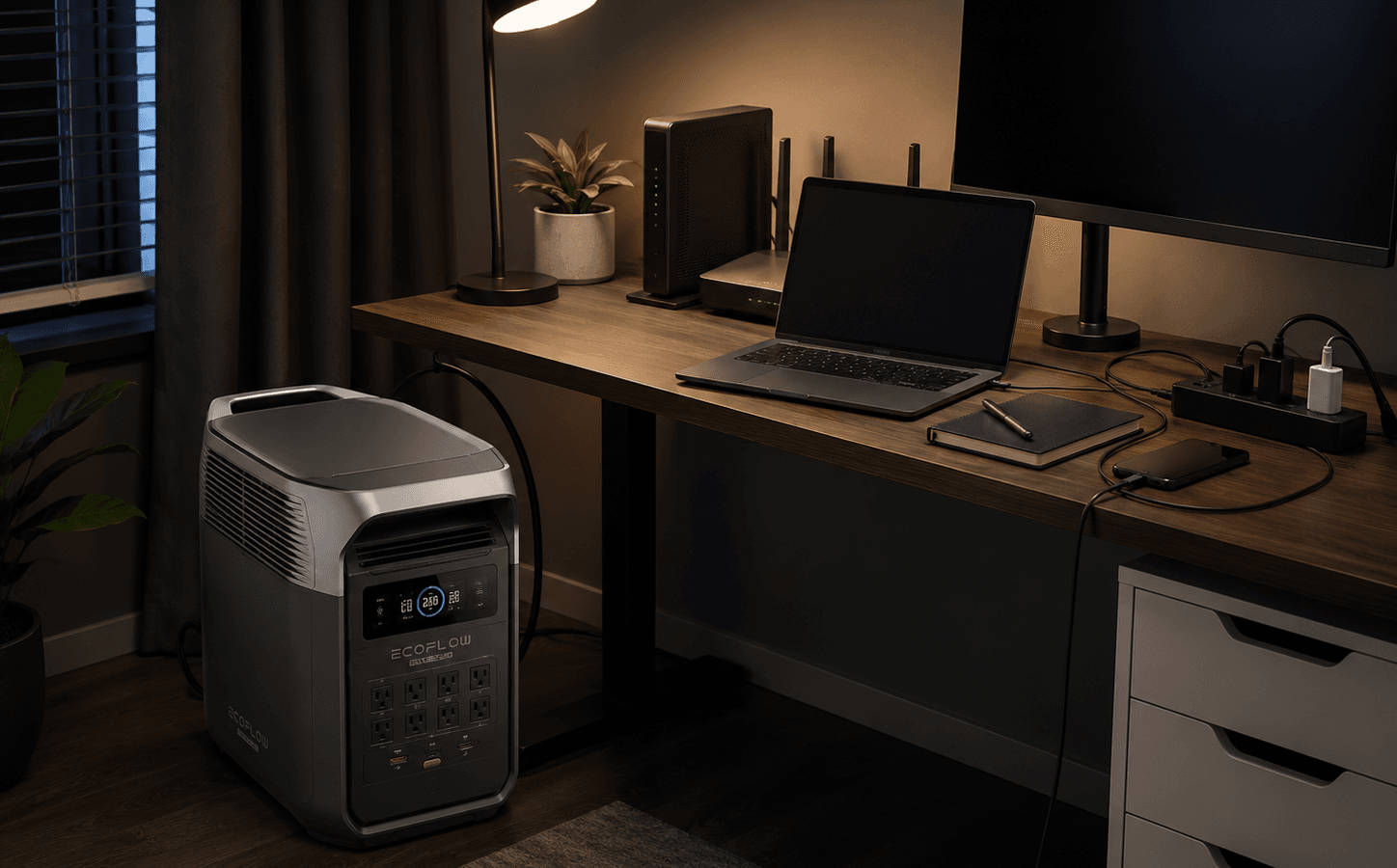
Best overall UPS-style power station: EcoFlow DELTA 3 Plus for a verified 1,024Wh LiFePO4 battery, 1,800W AC output, and a clearly stated backup-oriented role.
Best for a router, laptop, and lighter desk setup: EcoFlow RIVER 3 Plus, which begins at 286Wh and 600W.
Best for a broader work-from-home load: Anker SOLIX C1000 Gen 2 for a 1,024Wh battery and 2,000W AC output.
Best expandable alternative: OUPES Mega 1 for buyers who want a 1kWh starting point with a larger future path.
For most buyers, the best portable power stations with UPS capabilities are part of a layered backup plan rather than the only line of defense.
Good fit: home-office users, remote workers, creators, router-and-device backup planners, and buyers who want one battery to cover a fast interruption and a longer outage.
Look elsewhere: you need a dedicated online UPS for mission-critical systems, data-center use, medical equipment, or a setup where the manufacturer requires a particular power-quality standard.
UPS Feature or Long-Outage Battery? Start With the Failure You Need to Cover
The phrase UPS can mean different things across product categories. A compact electronics UPS is built around a specific transfer behavior and runtime profile. A portable power station adds more stored energy and outlets, but the buyer must still confirm what happens when the grid drops. A useful best portable power stations with UPS recommendation must match the core device, the transfer need, and the planned outage duration.
- Transfer behavior: A fast published switchover may help some electronics stay online, but every device responds differently. Do not infer compatibility without verifying it.
- Battery role: A small unit can keep a router or laptop running. A 1kWh-class unit can also support multiple desk devices after the transition.
- Output and ports: Check what will be connected at the same time. Monitor chargers, printers, lights, and network gear can add up.
- Operating discipline: Use the intended backup mode, maintain cable management, and test the exact equipment at home before an actual outage.
For critical equipment, keep the original device-specific backup plan in place. A power station can extend a resilience plan, but it should not be assumed to deliver every behavior of a dedicated UPS.
That is why the best portable power stations with UPS functions need a real compatibility check, not an assumption based on a feature label.
Best Portable Power Stations With UPS: Fast-Transition and Runtime Comparison
| Product | Best for | Verified starting point | Key trade-off |
|---|---|---|---|
| EcoFlow DELTA 3 Plus | router, home office, and 1kWh-class outage coverage | 1,024Wh / 1,800W AC | more system than a light router-only plan needs |
| EcoFlow RIVER 3 Plus | router, laptop, and compact desk essentials | 286Wh / 600W AC | limited reserve for a multi-device outage |
| Anker SOLIX C1000 Gen 2 | larger desk loads and selected home-office appliances | 1,024Wh / 2,000W AC | requires more storage space than a basic UPS |
| OUPES Mega 1 | expandable 1kWh backup planning | 1,024Wh / 2,000W AC | verify the exact backup feature behavior for your equipment |
Each model has a different mix of stored energy, output, and backup-oriented features. Use this comparison to choose the best portable power stations with UPS support for the devices you intend to leave powered, not every device on the desk.
1. EcoFlow DELTA 3 Plus: Best Overall for a Hybrid UPS and Outage Plan
The EcoFlow DELTA 3 Plus is the leading choice for buyers who want more than a brief router bridge. Its verified 1,024Wh LiFePO4 battery and 1,800W AC output place it in a practical range for a home-office desk, networking gear, phone charging, task lighting, and selected low-to-moderate household loads after an interruption.
Its advantage is the combined role: a backup-aware setup for the first moments of an outage plus more stored energy for the hours afterward. The right expectation is not that it replaces every dedicated UPS. The right expectation is that it can be tested with your equipment and become part of a larger outage plan.
Best for: a remote worker who wants a single battery to cover a fast interruption and continued essential power
Skip it if: your desktop, server, medical device, or business equipment requires a dedicated online UPS or strict power-quality guarantee
Main trade-off: a 1kWh station costs and stores differently than a small electronics-only UPS
For a hybrid resilience plan, it is the best portable power stations with UPS-style features choice in this group.
With the right test, this is one of the best portable power stations with UPS-style backup for a work area that must stay productive.
Read the detailed EcoFlow DELTA 3 Plus review for the product-specific limits and current source notes.

- 5 Fast Charging Options. With 1500W AC input, it charges to 80% in 40 mins. Solar charging reaches 80% in 1 hr, 100% in …
- Durable and Reliable for 10 Years. Powered by LiFePO4 (LFP) cells, with 4000 cycles to 80%, offering 25% more durability…
- Flexible Expansion up to 5kWh. The DELTA 3 Series seamlessly integrates with EcoFlow’s ecosystem, enabling the addition …
2. EcoFlow RIVER 3 Plus: Best Compact Router and Laptop Backup
The EcoFlow RIVER 3 Plus starts at 286Wh with a verified 600W AC output, so its role is more focused. It can be sensible for a router, modem, laptop charger, phone, small light, and other low-demand desk essentials when a larger station would be overkill.
The compact form is the point. This is a battery for someone who wants clean desk-side backup capacity without taking over a closet. Its limitation is equally clear: a 286Wh base unit is not a multi-device all-day solution, and it is not the right pick for a high-draw workstation or several room loads.
Best for: modem, router, laptop, phone, and light backup in a small workspace
Skip it if: you need a full home office plus kitchen, cooling, or long multi-device coverage
Main trade-off: limited base energy compared with the 1kWh models
For a focused desk setup, it can be one of the best portable power stations with UPS functionality without excess capacity.
That makes the compact model one of the best portable power stations with UPS support for a controlled, lower-load desk setup.
See the EcoFlow RIVER 3 Plus review before committing to the product based on the role it will play.

- [<10 MS UPS]-The RIVER 3 Plus power station ensures <10 ms switchover for premium UPS protection, securing your home off...
- [Power up to 1200W]-RIVER 3 Plus portable power station delivers a steady 600W and surges to 1200W with X-Boost. It feat…
- [2× Runtime & Ultra-Quiet]-The RIVER 3 Plus battery generator, powered by X-GaNPower, boosts energy efficiency, giving y…
3. Anker SOLIX C1000 Gen 2: Best for a Bigger Work-From-Home Load
The Anker SOLIX C1000 Gen 2 moves back into the 1kWh class with a verified 1,024Wh LiFePO4 battery and 2,000W AC output. That can make sense for a home worker whose backup plan includes a desktop, monitors, router, laptop, phone charging, task lighting, and a limited number of other essentials.
The buyer value is flexibility after the grid is gone. A small UPS may preserve the first moments, but a larger portable battery can keep the work zone useful for longer. Still, do not confuse more output with an automatic guarantee of clean power behavior for every sensitive device.
Best for: larger desk loads and extended work-from-home outage planning
Skip it if: you only need to keep a router and phone alive for a short interruption
Main trade-off: a larger battery demands more space and a more deliberate recharge routine
It is one of the best portable power stations with UPS-oriented features for buyers who need runtime after the switchover, not just a bridge.
It becomes one of the best portable power stations with UPS features when extended runtime matters more than desk-side minimalism.
Use the Anker SOLIX C1000 Gen 2 review as a second check before buying.
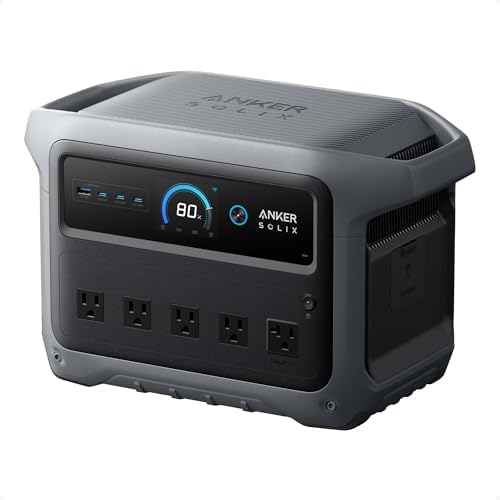
- 49 Min UltraFast Recharging: With upgraded HyperFlash tech, fully recharge at 1,600W—for outage prepping, camping trips,…
- 2,000W Output via 10 Ports: Delivers 2,000W (3,000W peak) and 1,024Wh capacity. Power up to 10 devices—ideal for emergen…
- Compact and Portable: Easily carry, store, and move from room to room, your RV, or even on beach and park outings. C1000…
4. OUPES Mega 1: Best for Buyers Who May Need More Capacity Later
The OUPES Mega 1 combines a verified 1,024Wh LiFePO4 battery with 2,000W AC output and an expansion path. That makes it appealing when the first goal is a home office and router plan, but the buyer may later want more capacity for selected outage loads.
The key word is may. Expansion is useful only when it is part of a budget and recharge plan. The base unit is still a 1kWh battery, so it should be judged for the devices it can support now rather than the largest future configuration a marketing page can display.
Best for: buyers who want to begin with a single office backup battery and retain an upgrade path
Skip it if: you want the smallest possible desk-side battery or a specifically certified enterprise UPS
Main trade-off: the broader system value depends on accessories and a real need to expand
That flexibility can make it one of the best portable power stations with UPS-style backup for a changing work setup.
For a buyer who may grow the setup, this is among the best portable power stations with UPS-oriented roles rather than a fixed short-runtime backup.
Use the OUPES Mega 1 review as a second check before buying.

- REVOLUTIONARY FAST-CHARGING TECHNOLOGY: Experience industry-leading recharge speeds with 0-80% capacity in just 36 minut…
- MODULAR EXPANSION CAPABILITY: Create a custom power ecosystem by connecting up to two B2 Extra Batteries, scaling your c…
- PROFESSIONAL-GRADE POWER DELIVERY: Delivering consistent 2000W continuous output (4500W surge) through premium AC outlet…
Choose the Right Backup Layer for Your Desk
A good plan often uses more than one layer. A small dedicated UPS may handle an instant transition for one sensitive device, while a portable station supplies longer runtime for the wider workspace. A best portable power stations with UPS choice should be sized around the equipment you cannot afford to lose, then around the devices that make the workday more comfortable.
1. List what must not blink
Start with the device that is hardest to restart or the work you cannot interrupt. That might be a router, a desktop, a network device, or a selected work appliance. Confirm its manual before treating any portable station as the required answer.
2. List what can wait
Monitors, charging bricks, printers, task lights, and a fan may be helpful, but they should not be allowed to drain the backup reserve needed for the core load. Build an outage version of the desk, not a normal workday version.
3. Test the exact setup
Connect the equipment, switch to the backup mode you plan to use, and observe behavior before the next storm or grid interruption. A test exposes cable, outlet, auto-restart, and load-management issues while you still have options.
4. Keep data protection separate
Back up important files and enable safe shutdown settings. Battery capacity is not a substitute for a data-recovery plan.
A good best portable power stations with UPS decision separates instant-transition needs from long-outage energy needs.
That distinction keeps the best portable power stations with UPS plan honest about what a portable battery can and cannot do.
For a broader capacity calculation, use the PowerLabPro power station sizing guide.
Mistakes Buyers Make With UPS-Style Power Stations
- Assuming every UPS label means the same thing: Transfer time, mode, output, and compatibility can differ by product and connected device.
- Plugging in the normal desk load: An outage setup should be smaller than the everyday setup. Turn off nonessential loads.
- Skipping the live test: The first test should never happen when the power is already out.
- Treating a power station as a data backup: It can extend runtime, but it cannot protect files already lost to a crash or failed drive.
- Using unverified critical-equipment claims: Medical, enterprise, and life-safety systems need their own professional or manufacturer-backed backup planning.
Backup confidence comes from a tested setup, not a feature name on a product page. Choosing the best portable power stations with UPS functionality is safer when each connected device has a clear role and a tested shutdown path.
Portable Power Station With UPS FAQ
Can a portable power station replace a normal UPS?
Sometimes it can support the same goal, but not automatically. A traditional UPS and a power station can use different transfer behavior, output design, and intended equipment. Verify the product documentation and test the exact devices.
What size station is enough for a router and laptop?
A compact battery can be enough for a router, modem, laptop, and phone. Move to a 1kWh-class station when you also need a desktop, multiple monitors, longer runtime, or more household essentials.
Is a 1kWh power station too large for a home office?
Not when the goal includes extended outage coverage. It may be excessive for a router-only plan, but useful when a work area needs several hours of continued operation.
Should I leave the power station connected all the time?
Follow the manufacturer instructions for standby and backup modes. Check heat, cable routing, charge settings, and whether your connected equipment behaves correctly.
Can I use this setup for a server or NAS?
Treat that as a verification task, not an assumption. Sensitive or business-critical systems may need a dedicated UPS and controlled shutdown plan.
When evaluating the best portable power stations with UPS features, prioritize the setup you have now and the outage you are most likely to face.
Final Take: Build a Tested Backup Stack
Choose EcoFlow DELTA 3 Plus when you want a balanced 1kWh-class battery for an interruption and the longer outage that follows. Choose EcoFlow RIVER 3 Plus for a lighter router-and-laptop plan. Choose Anker SOLIX C1000 Gen 2 for a larger desk load, or OUPES Mega 1 when an expansion path could become useful.
The best portable power stations with UPS are the ones you have tested with your actual equipment. A fast transfer claim is useful information, but it is not a shortcut around compatibility, shutdown planning, or data protection.
Keep critical systems on their appropriate dedicated backup equipment, then use portable battery capacity to extend the devices that make an outage manageable.
The best portable power stations with UPS support are valuable when they add tested runtime, not when they are asked to replace specialist equipment.
Final Recommendation
Choose EcoFlow DELTA 3 Plus for the best overall mix of home-office runtime and backup-oriented features. Choose EcoFlow RIVER 3 Plus for a compact router-and-laptop setup, Anker SOLIX C1000 Gen 2 for a larger desk load, or OUPES Mega 1 when an expansion path matters. Test the exact equipment before relying on any portable power station as part of a UPS-style plan.
Frequently Asked Questions
Can a portable power station replace a dedicated UPS?
Not automatically. It can add stored energy and outlets, but transfer behavior and device compatibility must be confirmed for the exact setup.
What should I power first during an outage?
Prioritize the modem, router, core computer or laptop, phone charging, and only the lighting or displays that support productive work.
Is a compact battery enough for a router and laptop?
Often yes for a focused setup, but required capacity depends on the devices, charging load, and planned outage duration.
Should I test the backup setup before an outage?
Yes. Test the exact devices, cable routing, backup mode, and shutdown process before you need the system.
When should I choose a dedicated backup system instead?
Choose specialist equipment when the connected device requires a particular transfer behavior, power-quality standard, or formal continuity requirement.