
Product Intelligence
Fast 1kWh travel backupJackery Explorer 1000 v2: Fast 1kWh Backup
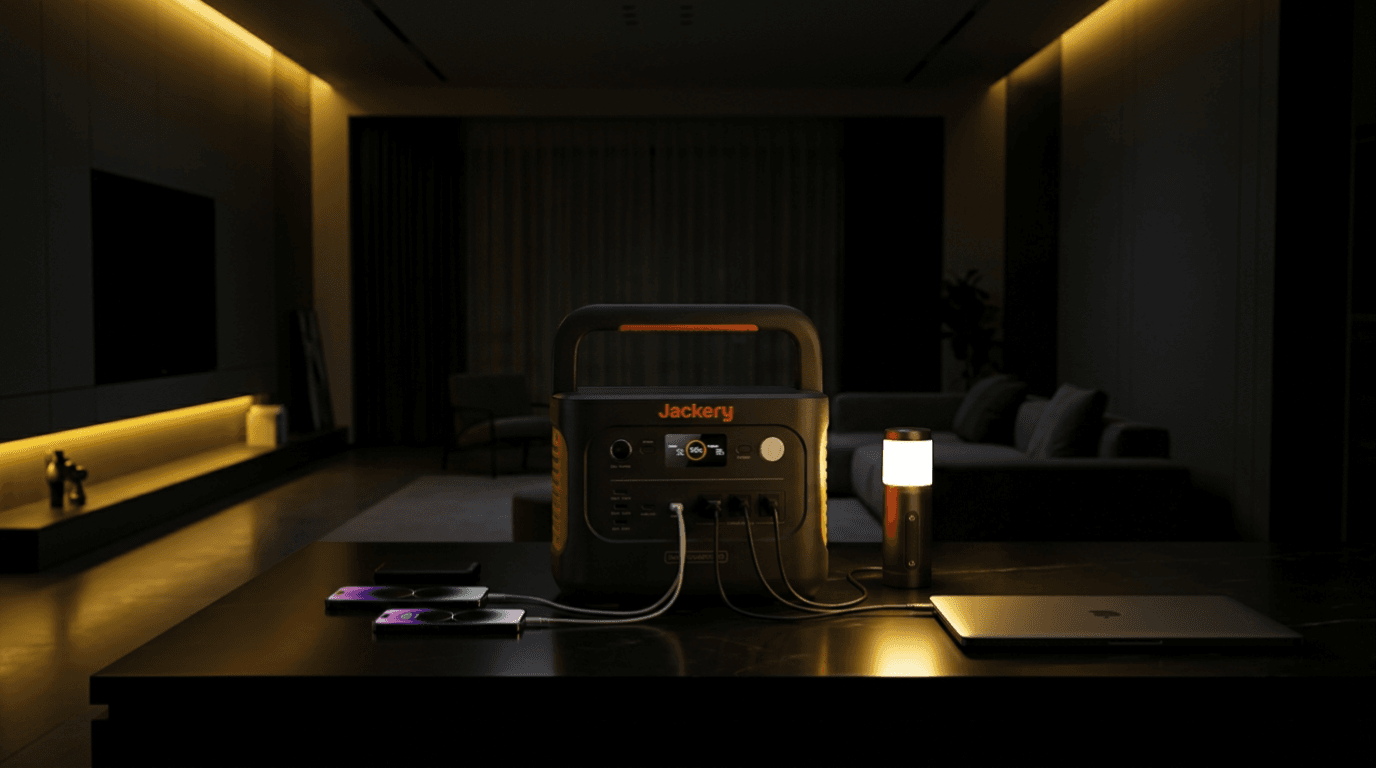
Jackery Explorer 1000 v2 is a 1070Wh LiFePO4 portable power station with 1500W AC output, 3000W surge capacity, app control, and up to 400W solar input. It fits camping, road trips, apartment backup, and light home emergency use.
Specifications
Key specs
Buyer Fit
Fit signals
Best for
Pros
- 1,070Wh LFP base capacity
- 1,500W continuous AC output
- 3,000W surge rating
- Under-20ms manufacturer-listed switching
- Up to 400W solar input
- One-hour Emergency Super Charge through the app
- 23.8 lb portable body
Cons
- Current product documentation does not list compatible add-on batteries
- 1,070Wh is limited for long appliance-heavy outages
- Three AC outlets share one 1,500W output budget
- 400W solar is a ceiling, not a guaranteed harvest
- One-hour charging requires app-enabled emergency mode
- Not a 240V or whole-home backup platform
Spec table
| Capacity | 1070 Wh |
|---|---|
| AC Output | 1500 W |
| Surge Output | 3000 W |
| Solar Input | 400 W |
| Weight | 23.8 lb |
| Battery | LiFePO4 |
| Warranty | 3+2 years through Jackery under stated conditions. Confirm current regional coverage and registration requirements. |
| Expandability | The current official product page does not list a compatible add-on battery for the Explorer 1000 v2. Confirm current accessories before purchase. |
| UPS / EPS | Manufacturer lists seamless power switching in under 20 milliseconds. Test exact equipment before relying on it, especially sensitive, medical, life-safety, server, or security devices. |
| Recharge Time | AC adapter: approximately 1.58 hours under stated conditions. App-enabled Emergency Super Charge: 0 to 100% in one hour under stated conditions. Car adapter: approximately 12 hours. Solar: up to 400W with compatible Jackery panels; actual solar recovery varies. |
This article may contain affiliate links. If you buy through these links, PowerLabPro may earn a commission at no extra cost to you. As an Amazon Associate I earn from qualifying purchases.
Jackery Explorer 1000 v2 bottom line: this is a 1,070Wh portable power station for buyers who want more capability than a compact electronics battery without moving into a heavy 2kWh or 3kWh system. It combines 1,500W of continuous AC output, a 3,000W surge rating, up to 400W solar input, fast AC charging, app control, and a 23.8 lb body. It fits apartment outages, home-office continuity, car camping, road trips, and short essential-load plans. It is not a whole-home, 240V, or long appliance-heavy outage solution.
The Jackery Explorer 1000 v2 works best when the buyer starts with the loads that truly matter. A router, laptop, phone chargers, lights, a fan, camera batteries, a CPAP after checking the device requirements, or carefully managed refrigerator support can form a useful 1kWh plan. A space heater, portable air conditioner, electric cooker, coffee maker, pump, or several high-draw devices can use the stored energy quickly even when the inverter can handle the momentary load.
This Product page is a verified central reference, not a hands-on test report. The connected Review is the deeper buyer decision page. Before purchase, confirm the live Amazon bundle, Jackery app settings, solar-panel compatibility, appliance demand, and current warranty conditions.

- Powerful yet Compact: Boasting a 1,500W AC output and a 3,000W surge peak, the Solar Generator 1000 V2 can power multipl…
- One Hour Fast Charging: Charge your Explorer 1000 v2 Portable Power Station from 0% to 100% battery level in just one ho…
- 10 Year Lifespan: The Explorer 1000 v2 portable power station is equipped with a durable LFP battery, maintaining over 7…
Table of Contents
Jackery Explorer 1000 v2: Quick Product Reference
The Jackery Explorer 1000 v2 is a practical middle-size LFP power station. It gives a buyer a real energy reserve for selected equipment while staying light enough for many people to carry between a closet, vehicle, campsite, or outage setup. That balance matters. A much larger station can offer more reserve, but it can also become difficult to store, load, and use regularly.
- Best for: apartment outages, routers and laptop work, car camping, road travel, charging gear, selected refrigerator support, and short essential-load backup.
- Not ideal for: whole-home circuits, 240V equipment, high-draw heating or cooling, long appliance-heavy outages, or buyers who know they need add-on battery expansion.
- Main advantage: 1,070Wh LFP capacity, 1,500W continuous AC output, 400W solar input, fast wall charging, and a 23.8 lb carryable form.
- Main limitation: 1,070Wh is finite energy. High-watt loads can deplete the reserve quickly even when the inverter can run them.
The Jackery Explorer 1000 v2 earns its place when the plan stays controlled. It can help keep communications, low-draw work equipment, lighting, charging, and selected comforts available during a short interruption. It is less suitable when the buyer needs days of refrigeration, multiple major appliances, hardwired home circuits, or more stored energy than one 1kWh class battery can provide.
Jackery Explorer 1000 v2 Specifications and Buyer Meaning
| Specification | Verified information | Buyer meaning |
|---|---|---|
| Battery capacity | 1,070Wh | A useful reserve for managed essentials, not a fixed runtime promise. |
| Battery chemistry | LiFePO4 | Jackery lists 4,000 cycles to 70% or more capacity under stated conditions. |
| Continuous AC output | 1,500W total | The planning limit for all connected AC loads together. |
| Surge output | 3,000W peak | Brief startup support, not a continuous 3,000W power budget. |
| AC outlets | Three 120V outlets | Useful for a focused load plan, but all share the same 1,500W output ceiling. |
| Solar input | Up to 400W through dual DC input | Useful daytime recovery with compatible panels and real sun conditions. |
| AC charging | About 1.58 hours listed | Regular wall charging keeps the station ready between trips or outages. |
| Emergency charging | One hour through app-enabled Emergency Super Charge under stated conditions | A fast recovery option that should not be treated as the default battery-care mode. |
| Car charging | About 12 hours listed | Travel recovery path, but far slower than wall charging. |
| USB-C output | One 100W and one 30W USB-C port | Can support laptops and smaller devices without using every AC outlet. |
| Other DC output | One 18W USB-A port and one 12V, 10A car port | Useful for a mixed device plan. |
| Power switching | Under 20 milliseconds listed | Test exact equipment before relying on continuity behavior. |
| Weight and dimensions | 23.8 lb; 12.87 × 8.82 × 9.72 in | Portable for many owners, with a defined carrying and storage plan still needed. |
| Warranty | 3+2 years listed | Confirm current regional coverage and registration conditions before purchase. |
| Amazon ASIN | B0D7PPG25F | Confirm the current seller, bundle, and accessories before buying. |
Source note: The official Jackery Explorer 1000 v2 product page is the primary reference for battery, output, ports, solar, charging, dimensions, and warranty information. The Amazon listing is used to confirm the current U.S. retail identity and ASIN.
These specifications answer different questions. Capacity is the energy reserve. AC output is the power available at a given moment. Solar and wall input describe recovery potential. Port count improves connection flexibility, but it does not increase the shared inverter limit or make a small battery last longer under heavy demand.
Who the Jackery Explorer 1000 v2 Fits
The Jackery Explorer 1000 v2 fits a buyer who wants a portable backup layer that can move between home and travel use. It is particularly suitable for an apartment resident who needs quiet power for communications and basic comfort, a remote worker who needs a laptop and router plan, or a camper who wants a more capable battery than a small phone-charging station.
- Apartment and condo buyers: people who want a quiet stored-power option for a router, phone charging, laptops, lights, a fan, and selected limited loads.
- Home-office users: buyers who need a measured reserve for a laptop, monitor, router, modem, phone, and work light during a short outage.
- Camping and road-trip users: owners who need AC, USB-C, vehicle-friendly charging, and a portable battery that can be moved without a rolling cart.
- First-time backup buyers: people who have outgrown a small battery pack but have not yet established a need for a larger 2kWh or 3kWh platform.
- Preparedness planners: buyers who can keep a priority list, cables, and an appropriate recharge path together before an outage begins.
For these users, the Jackery Explorer 1000 v2 can be easier to own than a much heavier station. A 23.8 lb unit is not weightless, but it is manageable for many people with a safe carrying route. That portability gives it a practical advantage when the station must move from a storage shelf to a desk, vehicle, tent, or temporary outage location.
Use the PowerLabPro power-station sizing guide before choosing a battery size. Start with the devices that must stay on, their running watts, any likely startup demand, and the number of hours that really matter.
Who Should Skip the Jackery Explorer 1000 v2
The Jackery Explorer 1000 v2 is a poor fit when a buyer already knows that the plan is larger than a managed 1kWh reserve. A strong inverter can run a device briefly, but it cannot make 1,070Wh behave like a multi-battery home backup system. Buyers should size up when long duration, large appliances, or 240V output are fixed requirements rather than occasional wishes.
- Whole-home buyers: one portable station is not a replacement for code-compliant transfer equipment, professional electrical design, or an installed battery system.
- Long refrigerator-runtime buyers: the unit can help with some refrigerator plans, but required duration and compressor behavior may point to a larger battery class.
- High-draw heating and cooling buyers: space heaters, portable AC units, cooking appliances, and similar loads can consume the reserve rapidly.
- Expansion-first buyers: the current official product page does not list a compatible add-on battery path for this model.
- Critical-equipment buyers: medical, life-safety, server, security, and other sensitive devices should follow the device maker’s dedicated backup guidance.
Capacity, Output, and Runtime Reality
The Jackery Explorer 1000 v2 has two distinct strengths: 1,070Wh of stored energy and 1,500W of continuous AC output. The battery rating tells you how much energy is available. The inverter rating tells you whether a device or device combination can operate at one time. Both need to fit the same plan.
A 1,500W inverter gives useful headroom for many everyday devices, but it does not make high-watt loads efficient. A microwave, electric kettle, heater, induction appliance, coffee maker, or compressor-driven device can use a meaningful portion of the stored energy in a short period. That is why the smartest outage plan protects communications, lighting, food planning, and essential work before convenience loads.
Jackery lists a 3,000W surge rating for the Jackery Explorer 1000 v2. Surge capacity supports a brief startup demand. It is not a normal 3,000W output rating, a guarantee that every motor will start, or added battery capacity. Check the appliance label and test the exact device before relying on a portable station for a refrigerator, power tool, pump, CPAP, or other equipment with special behavior.
A refrigerator can be a sensible priority load when its actual demand fits the station and the rest of the load plan remains modest. Compressor cycling, startup behavior, room temperature, door openings, and other connected devices all change runtime. Treat the Jackery Explorer 1000 v2 as a controlled essential-load reserve, not as a promise that a refrigerator will run for a universal number of hours.
In a real outage, a priority order often works better than a bigger wish list. Keep communication equipment, phone charging, lights, work devices, and food protection ahead of high-draw comfort loads. Lower average draw usually creates more useful time from a 1kWh battery than adding every available appliance at once.
AC Charging, Solar Recovery, and Car Charging
Fast wall charging is one reason the Jackery Explorer 1000 v2 works well for readiness. Jackery lists about 1.58 hours for AC charging under stated conditions. It also lists a one-hour Emergency Super Charge mode through the Jackery app. The faster mode can be useful before travel or bad weather, but it should not be treated as the only everyday charging choice because Jackery describes its default mode as a battery-health-focused option.
Solar input is listed up to 400W through the dual DC input system. That can support useful daytime recovery in camping, vehicle travel, or a longer outage. The 400W number is an input ceiling, not a guaranteed harvest. Panel compatibility, sunlight, shade, angle, temperature, cable losses, and battery state all change actual recovery speed.
The official specifications list dual DC input boundaries that vary by voltage range, with two inputs supporting up to 400W total. Check the current Jackery panel guidance, connector type, voltage, and current before connecting solar. Do not assume that every third-party panel or casual series connection is compatible simply because the listed wattage appears close.
Vehicle charging is listed at roughly 12 hours, so it is a supplementary travel option rather than a rapid outage-recovery plan. A normal drive can add useful energy, but it may not replace a day of heavy appliance use. Keep the vehicle cable with the station, and do not treat car charging as a substitute for a wall or solar plan when extended backup is the goal.
Ports, App Control, and Power Switching
The Jackery Explorer 1000 v2 has three 120V AC outlets, one 100W USB-C port, one 30W USB-C port, one 18W USB-A port, and one 12V, 10A car outlet. The mix can cover a laptop, phone chargers, a router, lights, small camera gear, and selected AC devices. Port count improves flexibility, but all AC loads still share one 1,500W total budget.
Use direct USB-C charging where it suits the device. A laptop or accessory that can run from USB-C does not need to occupy an AC outlet and an AC adapter. That can make a small backup plan tidier and leave AC capacity available for a device that cannot charge any other way.
Jackery lists app control and an LCD display for monitoring and charging settings. The app is especially relevant for the Emergency Super Charge setting. Confirm your phone connection and settings before an outage or trip, rather than trying to configure the station when it is already needed.
The Jackery Explorer 1000 v2 also lists seamless power switching in under 20 milliseconds. That can be useful for tested compatible everyday equipment such as a router, modem, laptop, or monitor. It is not a universal zero-interruption claim. Test the actual connected device before relying on it, especially for medical, life-safety, server, security, or other sensitive equipment.
Practical Use Cases
Apartment and short home outages
For a short outage, the Jackery Explorer 1000 v2 is most useful when the owner connects the priority loads first. A router, modem, phones, laptop, lights, fan, and selected food-protection loads can create a calm, practical backup plan. The station is less convincing when high-watt kitchen devices, heaters, cooling equipment, and entertainment loads all compete for the same battery.
Apartment buyers should also plan placement. Use a stable, dry surface with ventilation around the station and a clear cable route. Store the wall cable, car cable, device adapters, and a written load list together so the system can be deployed without searching for parts during an outage.
Camping, road travel, and vehicle-supported power
For camping and travel, the Jackery Explorer 1000 v2 can power lighting, cameras, a laptop, small fans, chargers, selected cooking use, and other modest equipment. Its portability is a material benefit in this setting. It can move between the vehicle and campsite without the handling burden of a large rolling backup platform.
Solar can extend the plan when panels are matched correctly. The sensible approach is to run lower-draw equipment throughout the day, avoid leaving a high-watt device on without purpose, and use daylight as an opportunity to recover the battery before evening use. This kind of management matters more than any generic runtime table.
Remote work and communications continuity
Remote workers often have a more favorable load profile than appliance-heavy home backup users. A router, laptop, phone, monitor, and task light typically use less power than heating or cooking equipment. The Jackery Explorer 1000 v2 can be a useful bridge through a short interruption when the work setup is tested in advance and the charging gear is organized.
Do not assume that every desk device needs AC. Charging a laptop through USB-C, keeping a monitor off when it is not necessary, and disconnecting nonessential peripherals can make a backup reserve last longer. A measured work plan is normally more valuable than an oversized collection of connected accessories.
What to Verify Before Buying
| Verify | Why it matters |
|---|---|
| Priority-load watts and required hours | They determine whether 1,070Wh is enough for the plan. |
| Combined AC demand | All three AC outlets share the 1,500W continuous output limit. |
| Refrigerator, compressor, or pump startup behavior | Running watts alone may not show real startup demand. |
| Solar-panel voltage, current, connector, and cable plan | The station supports up to 400W through its specified dual DC input system. |
| App setup and charging mode | One-hour Emergency Super Charge requires the app-enabled mode under stated conditions. |
| Power-switching behavior for exact equipment | Under-20ms switching should be tested with the real router, laptop, monitor, or other device. |
| Carrying route and storage location | 23.8 lb is manageable for many people, but a stable dry placement still matters. |
| Current listing and bundle | Confirm ASIN B0D7PPG25F, seller, included accessories, and current warranty terms. |
For broader preparation, read Ready.gov’s power-outage guidance. Never backfeed a home electrical panel through a wall outlet, use improvised high-current adapters, or treat a portable power station as a substitute for proper transfer equipment or a manufacturer-approved medical-device backup plan.
Related Decision Paths
Read the connected Jackery Explorer 1000 v2 review for the deeper buyer analysis and alternatives. This Product page remains the central record for verified model identity, structured specifications, ASIN, Product Data, and affiliate destination.
Buyers deciding between this model and a 1kWh EcoFlow alternative can use the Jackery Explorer 1000 v2 vs EcoFlow DELTA 2 comparison. Buyers who need more output headroom, faster solar recovery, or a different backup profile can also compare the Anker SOLIX C1000 Gen 2 Product reference. Choose by the actual load list, desired duration, recovery options, and handling constraints rather than output alone.
Jackery Explorer 1000 v2 FAQ
Is the Jackery Explorer 1000 v2 good for home backup?
The Jackery Explorer 1000 v2 can be a good fit for short essential-load backup. It is useful for communications, lighting, laptop work, charging, fans, and selected appliances when the total draw and required hours fit a 1,070Wh reserve. It is not a whole-home replacement.
Can the Jackery Explorer 1000 v2 run a refrigerator?
It can support some refrigerators when the appliance is within the output limit, but results depend on compressor startup behavior, cycling, room temperature, door openings, and all other loads. Test the specific refrigerator before relying on it during an outage.
How fast does the Jackery Explorer 1000 v2 recharge?
Jackery lists about 1.58 hours for standard AC charging under stated conditions. The app-enabled Emergency Super Charge setting is listed at one hour under stated conditions. Vehicle charging is listed at about 12 hours.
How much solar input does the Jackery Explorer 1000 v2 support?
The Jackery Explorer 1000 v2 supports up to 400W solar input through its dual DC input system. Actual solar recovery depends on compatible panels, sunlight, wiring, panel angle, shade, temperature, and battery state.
Is the Jackery Explorer 1000 v2 expandable?
The current official product page does not list a compatible add-on battery for this model. Buyers who know they need a modular battery system should compare that requirement before buying.
Does the Jackery Explorer 1000 v2 provide UPS-style switching?
Jackery lists seamless power switching in under 20 milliseconds. Test the actual connected equipment before relying on it. This feature should not be treated as a universal guarantee for sensitive, medical, life-safety, server, or security devices.
Final Product Decision
The Jackery Explorer 1000 v2 is a practical 1kWh choice for a buyer who values portability, 1,500W output, fast recharge options, USB-C charging, and a focused backup plan. It is strongest for apartment outages, remote work, travel, camping, and short essential-load coverage with a realistic wall, solar, or vehicle recovery path.
Skip the Jackery Explorer 1000 v2 when the real requirement is long appliance runtime, hardwired home circuits, 240V output, whole-home coverage, or a modular expansion system. Start with the loads that must remain on, check the number of hours required, confirm the recovery method, and choose the smallest verified system that solves the real problem.