
Review
Jackery Explorer 500 v2 Review: 512Wh, 500W, and Who It Fits
A good lightweight option for low-draw travel, camping, home-office, and communication backup when 500W output and 512Wh capacity match the actual load plan. Choose a larger platform for higher-output appliances, longer runtime, or expansion.
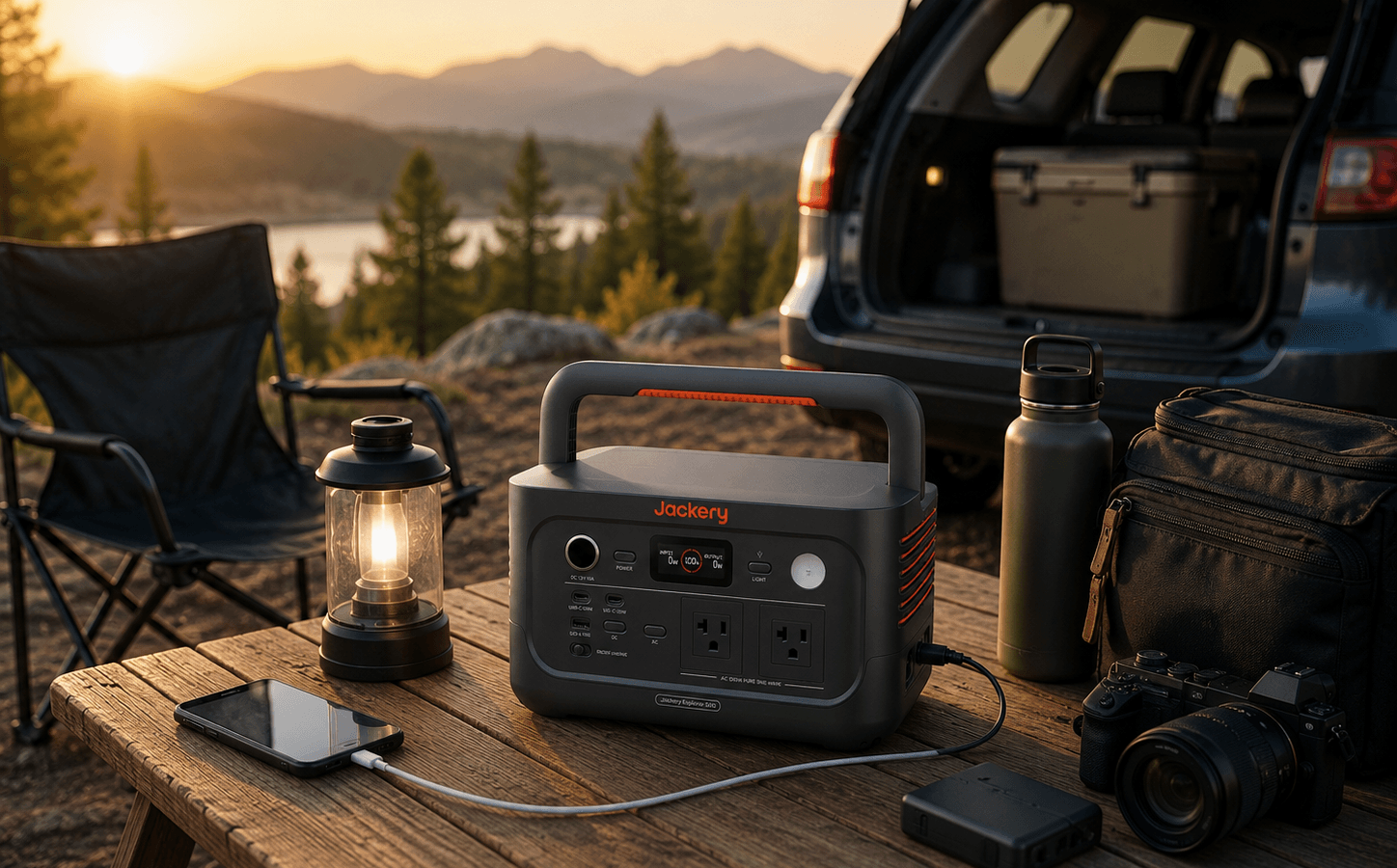
Linked Product Snapshot
Core specs
Buyer Fit
Pros and tradeoffs
Strengths
Pros
- Light 12.6 lb design for frequent carrying
- 512Wh LiFePO4 battery for controlled low-draw plans
- Two AC outlets, two USB-C ports, USB-A, and 12V output
- Up to 200W compatible solar input
- Listed under-10-ms transfer function for compatible devices
Tradeoffs
Cons
- 500W continuous output rules out many appliances and tools
- 512Wh is limited for long high-watt runtime
- No documented Wi-Fi or Bluetooth app control
- No conventional expansion-battery path documented
- Solar input and transfer behavior require equipment-specific checks
This article may contain affiliate links. If you buy through these links, PowerLabPro may earn a commission at no extra cost to you. As an Amazon Associate I earn from qualifying purchases.
This Jackery Explorer 500 v2 review is for buyers who want useful portable energy without carrying a much larger power station. Based on manufacturer-listed specifications and the corresponding PowerLabPro product record, it is a 512Wh LiFePO4 station with 500W of continuous AC output, a compact solar pathway, and a carry-friendly design. Its best role is a controlled device plan, not broad appliance backup.
The central decision in this Jackery Explorer 500 v2 review is straightforward. Choose it when low weight, simple controls, direct USB-C charging, and known low-draw equipment matter more than inverter headroom. Skip it when the plan depends on heating, cooking, large tools, unverified refrigerator loads, long multi-day runtime, or a larger expandable battery ecosystem.
This is researched editorial analysis, not a claim that PowerLabPro performed hands-on testing. Confirm the current Amazon destination, bundle contents, port details, manual, warranty terms, and device compatibility before purchase.
Jackery Explorer 500 v2 review quick verdict
The Jackery Explorer 500 v2 is a strong compact choice for camping, vehicle travel, camera gear, laptop work, router backup, phones, lights, and short outages with a measured device list. At about 12.6 lb, it is easier to carry than many 1kWh alternatives. The main boundary is the 500W continuous inverter. That limit should drive the purchase decision before capacity, charging speed, or a peak-watt number.
This Jackery Explorer 500 v2 review is positive for the buyer who wants a deliberately simple portable station. It is not a recommendation for appliance-first use. A model can have enough battery remaining yet still refuse a load that exceeds its inverter limit, and this one has little room for loads that live close to 500W.
Best for, not ideal for, and the real buyer decision
Best for: campers, car travelers, photographers, remote workers, and apartment residents who need a lightweight station for communication, charging, lighting, and other measured low-draw loads.
Not ideal for: heaters, kettles, air fryers, high-watt tools, broad household backup, refrigerator-first planning without testing, or buyers who know they need battery expansion.
Main advantage: 512Wh LiFePO4 capacity and a useful port mix in a very portable 12.6 lb package.
Main drawback: 500W continuous output rules out many common appliances even when the battery is charged.
Better alternative if: you need more inverter headroom, longer runtime, app control, a larger solar path, or a platform that can grow.
A useful Jackery Explorer 500 v2 review must separate portability from backup scale. This model can be an excellent purchase when the job is a modest mobile power problem. It becomes the wrong purchase when a buyer expects a small station to behave like a high-output home-backup platform.

- Reliable Power On-the-Go: The Jackery Explorer 500 v2 offers 512Wh capacity, delivering 500W rated power and 1000W surge…
- Camping Essential: Weighing just 14 lbs, the Explorer 500 v2 is the lightest LiFePO4 power station of its size. Its comp…
- Built to Last 10+ Years: Featuring a LiFePO4 battery with 6000 charge cycles, the Explorer 500 v2 guarantees more than 1…
Table of Contents
Jackery Explorer 500 v2 review: verified specifications
| Specification | Current documented figure | Buyer implication |
|---|---|---|
| Battery capacity | 512Wh | A compact energy reserve for a controlled device list. |
| Battery chemistry | LiFePO4 | Jackery lists long cycle life under its stated conditions. |
| Continuous AC output | 500W | The non-negotiable ceiling for sustained AC loads. |
| Peak output | Up to 1,000W | Temporary startup margin, not an alternative continuous output rating. |
| Solar input | Up to 200W | A compact solar-recovery path with compatible equipment. |
| Ports | 2 AC, 2 USB-C, USB-A, and 12V car output | Useful for a small travel or work kit, not a broad multi-appliance setup. |
| Weight | About 12.6 lb | A major advantage for frequent carrying and small storage spaces. |
| Transfer claim | Under 10 ms listed | Potentially useful only after checking exact-device behavior. |
This Jackery Explorer 500 v2 review uses current regional manufacturer documentation as the primary specification source. Jackery lists the 512Wh battery, 500W rated output, 200W solar-input ceiling, two AC outlets, two USB-C ports, one USB-A port, 12V output, a 5.7 kg carry weight, and a listed under-10-ms transfer function. Read Jackery’s Explorer 500 v2 product documentation for manufacturer details, then verify the matching U.S. Amazon listing and bundle before purchase.
Jackery Explorer 500 v2 review: capacity and realistic runtime
The 512Wh battery is meaningful when used with the right loads, but it cannot produce a universal runtime result. Actual outcome changes with total watts, inverter conversion losses, battery temperature, charge level, device behavior, cable choice, and whether energy goes through an AC adapter or directly to a compatible USB-C device. That is why responsible advice begins with the devices you own.
A realistic Jackery Explorer 500 v2 review starts with a priority list. A router, laptop, phone charger, LED lamp, tablet, camera battery charger, and modest fan can create a convincing compact backup setup. A high-watt appliance consumes the same reserve much faster, even if it can run at all. Start by protecting communication and work, then decide whether there is enough energy left for any optional comfort load.
Direct USB-C charging can reduce unnecessary conversion stages for a compatible laptop, tablet, or camera. It does not create additional energy, but it can be a cleaner approach than running a low-draw device through an inverter and AC brick. Use the PowerLabPro sizing guide to total your own loads, assess surge needs, and decide whether 512Wh suits the time window you need.
For camping, a road trip, or a short communication outage, a modest battery can feel generous. For a buyer who wants continuous comfort equipment, cooking, or refrigerator coverage for many hours, it can feel limited quickly. The value of the Jackery Explorer 500 v2 comes from disciplined use, not from treating every outlet as an invitation to plug in another appliance.
Jackery Explorer 500 v2 review: the 500W output limit
The 500W continuous inverter is the key constraint in this Jackery Explorer 500 v2 review. It is well matched to low-draw electronics and carefully chosen AC loads. It is not enough to make the unit an appliance-first power station. Space heaters, kettles, toaster ovens, hair dryers, air fryers, many coffee makers, workshop tools, and similar high-watt equipment should be treated as poor fits unless their verified normal draw is well under the continuous limit.
The listed 1,000W peak figure needs the same care. Peak output is designed for a brief demand event, such as startup. It does not make a 700W or 900W appliance a comfortable continuous match for a 500W station. It also does not guarantee that every motor load will work. Compressors, pumps, and power tools can pull more at startup than the normal label value suggests.
This Jackery Explorer 500 v2 review recommends leaving output headroom instead of using every watt on paper. A router, laptop, small monitor, phones, charging accessories, and a lamp are a sensible compact combination. An appliance that fits only in a narrow theoretical calculation should be treated as a reason to choose a larger inverter, not as a reason to gamble with a smaller one.
Do not use the station as a substitute for medical, life-safety, fire-alarm, or code-governed backup. Where dependable continuity matters, use manufacturer guidance for the connected equipment and appropriate professional planning.
Jackery Explorer 500 v2 review: charging and solar
Jackery lists several charging paths: wall power, vehicle charging, solar input, and combined AC-plus-DC charging. Its published examples include about 1.3 hours from wall power, about 2.8 hours with a compatible 200W solar input, and about 6 hours from a 12V vehicle outlet. Treat those values as manufacturer-condition targets. Wall supply, temperature, battery state, panel conditions, and installation choices all affect a real charge session.
The 200W solar figure is an accepted-input ceiling, not a promise of 200W in real sunlight. Shade, panel angle, season, clouds, cable losses, and battery state determine how much energy reaches the station. A compatible solar panel can extend a travel or outage plan, but it does not turn a 512Wh portable station into an unlimited off-grid system.
For a buyer who values frequent use, fast wall charging can matter as much as solar. It makes the Jackery Explorer 500 v2 easier to refresh before a road trip, after a test, or before a forecast outage. Solar is valuable when the trip or event provides enough daylight and a practical place to deploy a panel safely.

Jackery Explorer 500 v2 review: ports, UPS-style use, and platform limits
The port mix is useful for the buyers this station suits. Two AC outlets, two USB-C ports, USB-A, and a 12V car output can support a compact travel kit or a short-outage communications setup. The relevant question is not simply how many outlets exist. It is whether they support the devices you own without unnecessary adapters and without exceeding the shared 500W inverter limit.
Jackery lists an under-10-ms transfer figure. That can be useful with compatible routers, lights, and personal work devices, but it is not a zero-interruption guarantee. Before relying on the Jackery Explorer 500 v2 for a desk or communication plan, test the exact router, laptop power supply, monitor, and charger during a supervised interruption. A published transfer specification is only part of the compatibility decision.
The platform is intentionally simple. Current product evidence does not document Wi-Fi or Bluetooth app control, and it is not positioned as a normal expansion-battery platform. That can be a benefit for someone who wants direct buttons and a self-contained station. It is a limitation for a buyer who expects remote monitoring, firmware features, or a battery system that grows over time.
Jackery Explorer 500 v2 review: real use-case fit
Camping, road trips, and outdoor electronics
For camping and travel, the Jackery Explorer 500 v2 suits phones, cameras, laptops, lights, portable speakers, a small fan, and similar equipment. The low carry weight means it is realistic to move from a vehicle to a camp table instead of leaving it in the trunk. Keep cooking and heating expectations separate from this use case unless each device is confirmed to be within the station’s continuous and starting limits.
Home-office and communication continuity
For a small home-office plan, the Jackery Explorer 500 v2 can protect the equipment that keeps a household connected: one router, one laptop, phones, selected lighting, a carefully chosen monitor, and charging accessories. Decide what needs to stay on before an outage. A priority plan provides more reliable continuity than plugging in every device that happens to be nearby.
Creator gear and mobile work
For photography, drones, field work, and mobile tasks, the Jackery Explorer 500 v2 can be a practical charging hub. Verify each charger’s input requirements, bring the correct cable, keep the station dry and ventilated, and avoid letting an expected USB-C device consume the limited AC budget through an oversized power brick. Portability is valuable only when the full setup is compatible and easy to manage.
Jackery Explorer 500 v2 review: alternatives
Jackery Explorer 1000 v2 for greater output and energy
The Jackery Explorer 1000 v2 is a better fit when a buyer needs materially more continuous output, longer stored energy, and a broader essential-load plan. It is heavier and less convenient to carry, but the trade-off is worth it when appliance compatibility and longer runtime matter more than keeping the station very light.
BLUETTI AC70 for higher output and solar headroom
The BLUETTI AC70 is worth comparing when 500W is the immediate problem. It provides a higher-output compact class, more battery reserve, Bluetooth app control, and a stronger solar-input ceiling. It is heavier, so it is a better alternative for a buyer with a confirmed load that pushes beyond a lightweight device-first station.
EcoFlow RIVER 3 Plus for a compact ecosystem path
The EcoFlow RIVER 3 Plus is a better direction for buyers who prefer a compact platform with a different feature set and an ecosystem path. Compare current capacity, app support, outlet layout, solar requirements, and expansion options. This Jackery Explorer 500 v2 review favors the Jackery only when the simple, light, self-contained design is the better answer for the actual device list.
Jackery Explorer 500 v2 review: pros and cons
| Pros | Cons |
|---|---|
| Compact 512Wh LiFePO4 capacity in a light 12.6 lb package. | 500W continuous output rules out many common appliances and tools. |
| Useful AC, USB-C, USB-A, and 12V ports for a controlled device plan. | No documented conventional expansion-battery pathway. |
| Up to 200W solar input supports a compact recovery plan. | Solar input is limited compared with larger compact alternatives. |
| Fast charging claims and a listed under-10-ms transfer figure. | Actual charge time and backup-device behavior vary by conditions and equipment. |
| Simple, carry-friendly design for travel and regular use. | No documented Wi-Fi or Bluetooth app control in the current evidence. |
Jackery Explorer 500 v2 review FAQ
Can the Jackery Explorer 500 v2 run a refrigerator?
It may work with some refrigerators under the right conditions, but it should not be bought for a refrigerator plan without checking both running watts and startup behavior. The 500W continuous output is the key constraint. Test the exact appliance before an outage and choose a larger option when refrigerator runtime is the central buyer requirement.
Is the Jackery Explorer 500 v2 good for remote work?
It can be a good fit for a controlled plan with a router, laptop, phones, lighting, a selected monitor, and charging accessories. Keep the total draw comfortably below 500W, use direct USB-C charging where possible, and test transfer behavior with your actual devices before depending on it for a workday.
Can the Jackery Explorer 500 v2 charge from solar panels?
Yes. Jackery lists up to 200W of compatible solar input. This is a maximum accepted input, not a guaranteed harvest rate. Confirm connector compatibility and expect real charging output to change with weather, shade, sunlight angle, temperature, cable losses, and battery state.
Does the Jackery Explorer 500 v2 provide UPS functionality?
Jackery lists an under-10-ms transfer claim for compatible equipment. It is not a 0 ms uninterrupted-power guarantee. Test the actual router, computer, monitor, or network hardware, and do not use a portable power station as a replacement for certified safety-critical backup.
Safety and outage-preparedness context
Use the Jackery Explorer 500 v2 on a stable, dry, ventilated surface with vents clear. Keep it away from water, heat sources, damaged cables, and walkways where a cable can create a trip hazard. It is portable energy storage, not a replacement for fixed electrical work, a transfer switch, or professionally designed backup power.
For broader planning, review Ready.gov’s power-outage guidance alongside the load list for your household. Prioritize communications, lighting, safe food planning, phone charging, and the work equipment that matters first. This Jackery Explorer 500 v2 review supports a portable station as one practical part of a resilient plan, not as a substitute for a complete home-energy system.
Jackery Explorer 500 v2 review: final recommendation
The conclusion of this Jackery Explorer 500 v2 review is positive for buyers who need lightweight, deliberate portable power. Its 512Wh capacity, compact charging options, simple port mix, and low carry weight are strong advantages for camping, road trips, creator equipment, short communication outages, and modest remote-work plans.
The same Jackery Explorer 500 v2 review conclusion changes for appliance-heavy or long-runtime buyers. Choose the Jackery Explorer 1000 v2 when more output and energy are required, the BLUETTI AC70 when higher output and solar flexibility are more important, or the EcoFlow RIVER 3 Plus when a different compact ecosystem path is the priority. Read the Jackery Explorer 500 v2 product page for the structured product record, then use the PowerLabPro sizing guide before making a purchase decision.
Testing Notes
- Research-led editorial analysis based on current manufacturer documentation and the matching U.S. Amazon listing.
- PowerLabPro did not conduct hands-on or laboratory testing of the Jackery Explorer 500 v2.
- Runtime, UPS-style transfer behavior, and appliance compatibility depend on the exact connected devices and operating conditions.