
Buying Guide
Portable Power Station for Starlink: 3 Practical Picks
Choose a portable power station for Starlink based on your exact hardware, work load, battery reserve, and realistic solar-recovery plan.
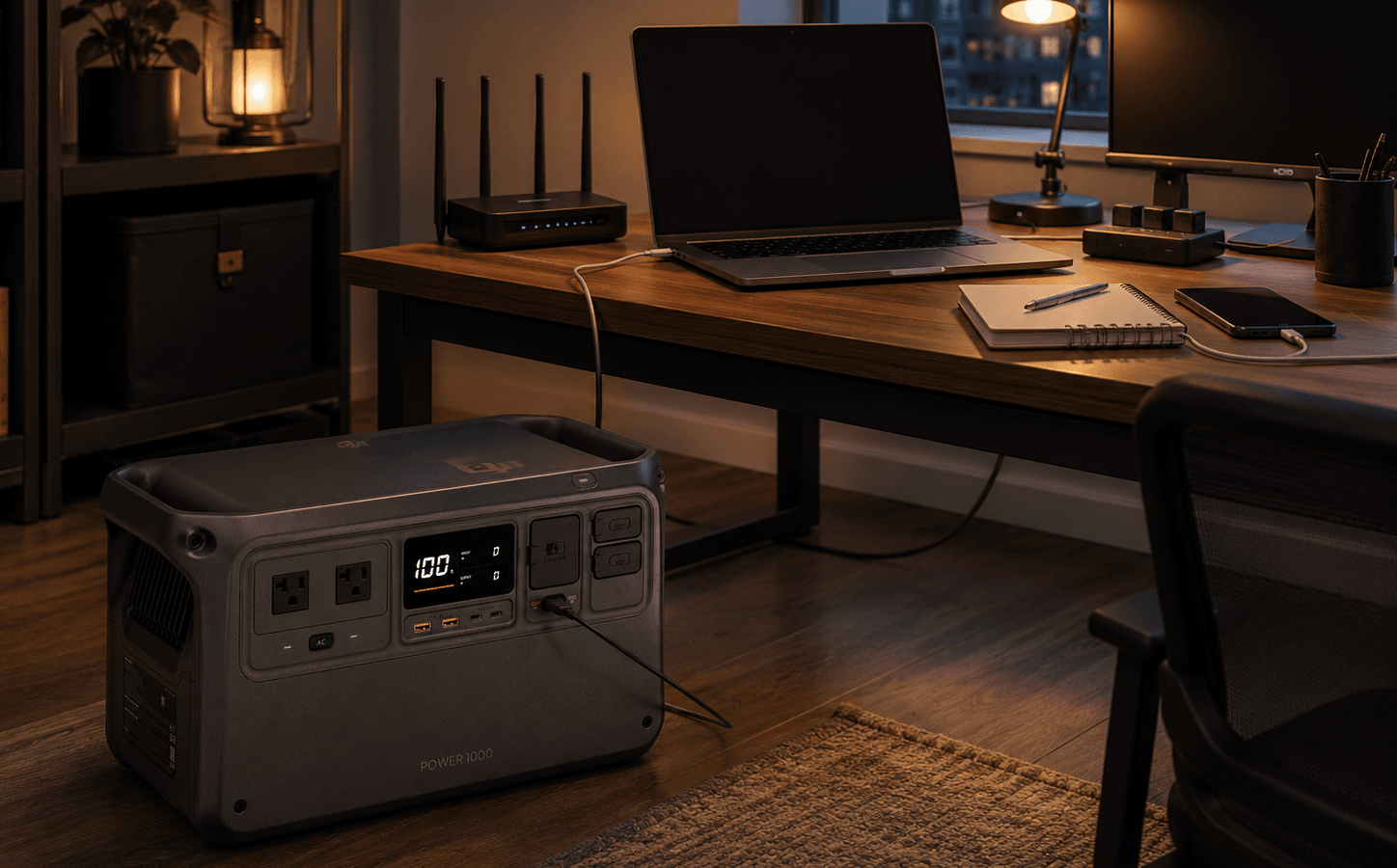
Product Shortlist
Featured products
Product
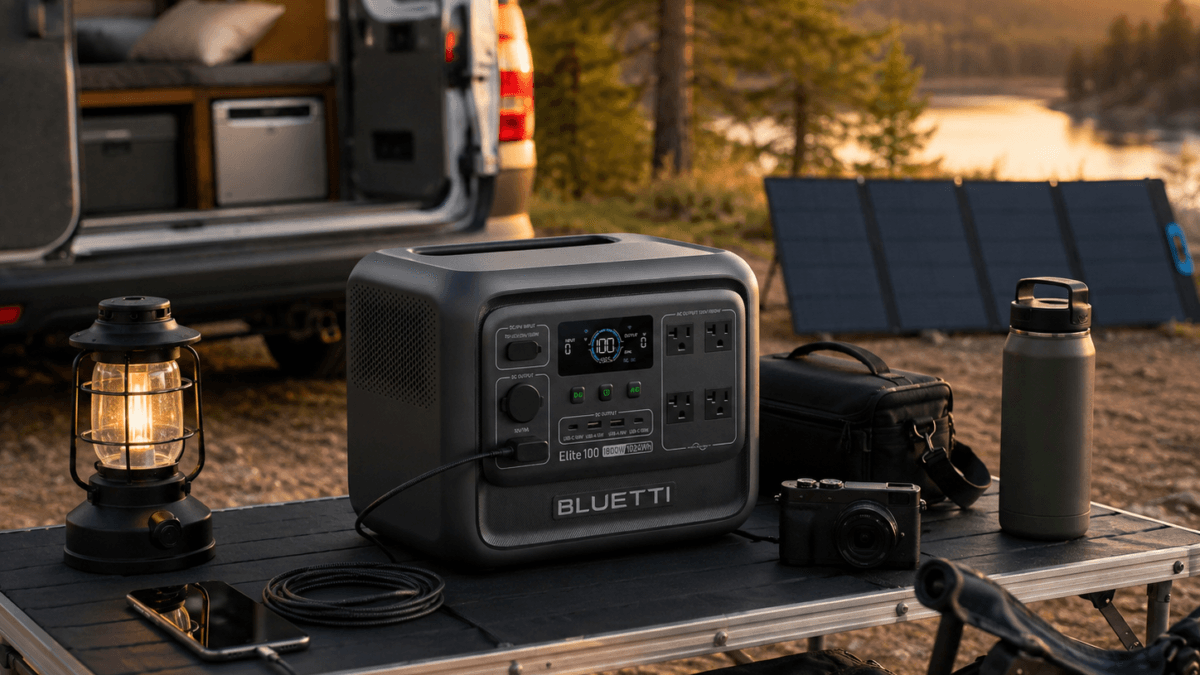
BLUETTI Elite 100 V2 Portable Power Station
A compact 1,024Wh LiFePO4 power station with 1,800W output, fast charging, 1,000W solar input, app control, and selected-load backup value.
Product
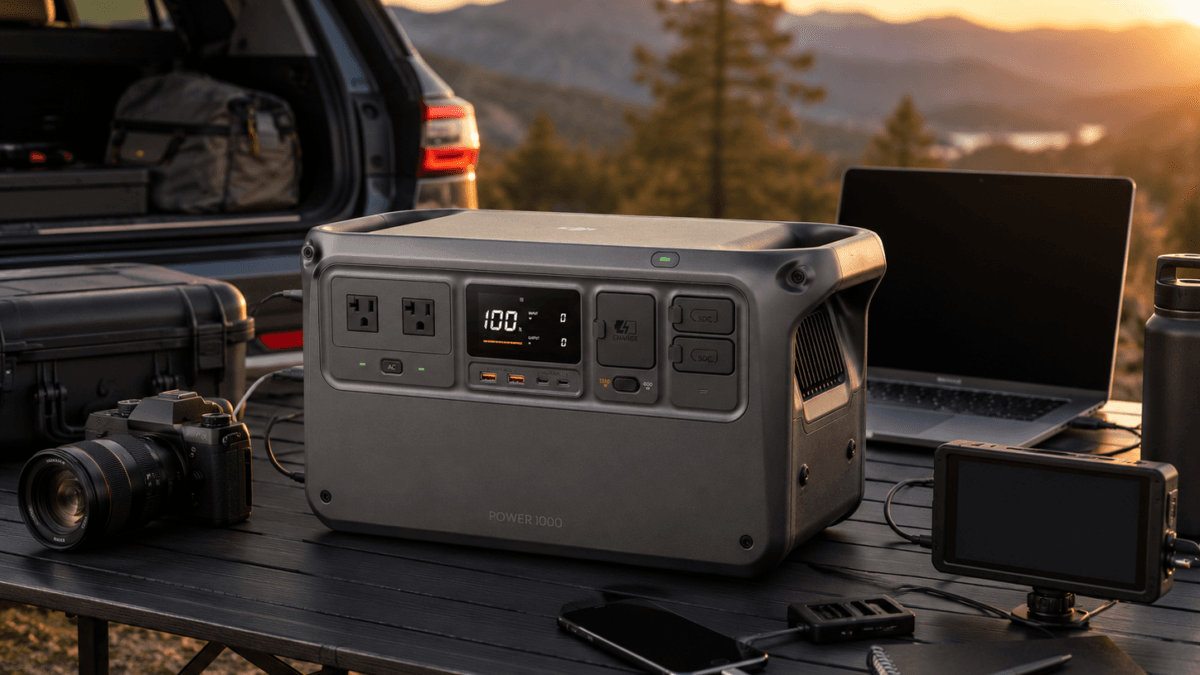
DJI Power 1000 Portable Power Station
A compact 1,024Wh LiFePO4 station for DJI users, creators, mobile work, RV travel, and controlled backup plans. Its standout strengths are 2,200W continuous AC output for DYM1000L, dual 140W USB-C, DJI SDC accessory connectivity, and up to 800W solar input with the required accessories. Its trade-off is limited 1kWh runtime for high-draw loads.
Product
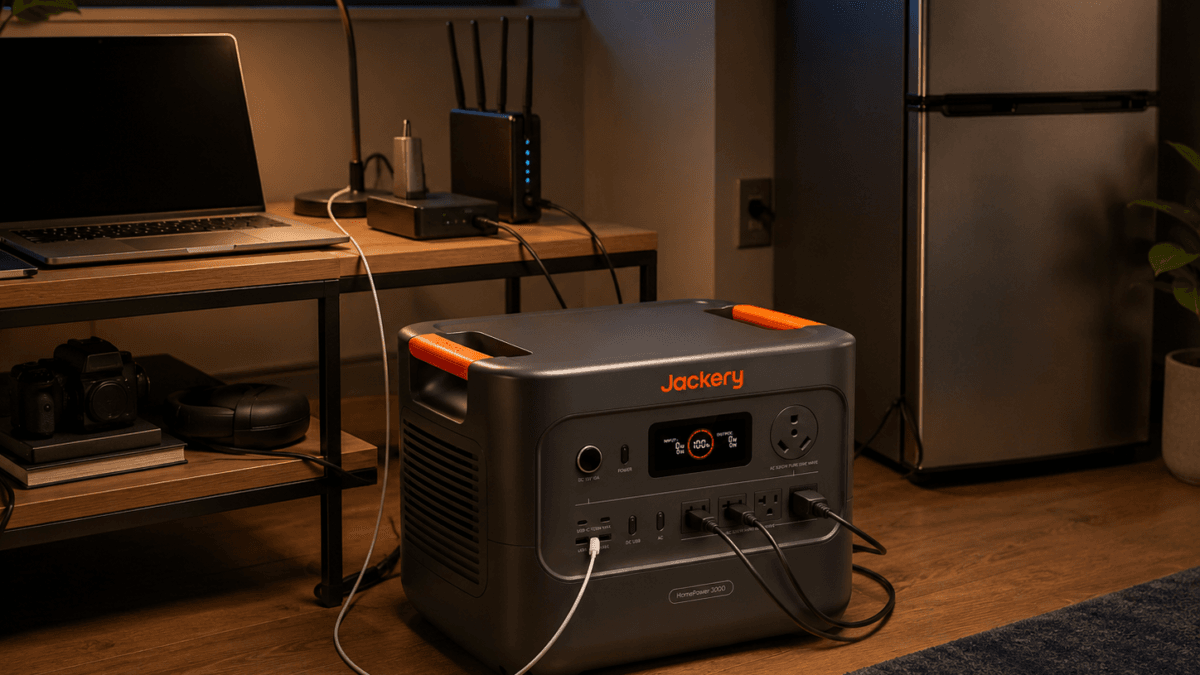
Jackery Explorer 2000 v2 Portable Power Station
A self-contained 2042Wh LiFePO4 portable power station for selected-load home backup, RV travel, off-grid weekends, and mobile work. Its verified advantages are 2200W rated AC output, three 120V AC outlets, 100W USB-C, 400W maximum DC solar input, 1.75-hour listed AC charging, low listed noise, and a compact 39.5 lb form for its capacity class. Its key limit is no expansion-battery path.
This article may contain affiliate links. If you buy through these links, PowerLabPro may earn a commission at no extra cost to you. As an Amazon Associate I earn from qualifying purchases.
A portable power station for Starlink should be selected around the full connection plan, not around the satellite dish alone. The right battery must cover the exact Starlink hardware, the approved power supply or cable path, the hours you need online, and the other devices that make the connection useful. A dish without a charged laptop, router, phone, or basic workspace may not solve the actual communications problem.
This guide is for U.S. buyers planning satellite-internet backup for remote work, RV travel, campsites, rural outages, and controlled off-grid use. It uses current manufacturer specifications, verified PowerLabPro Product records, and Starlink’s current specifications page. PowerLabPro has not performed hands-on testing of the power stations or Starlink hardware discussed here.
These recommendations have different jobs. One supports a compact mobile workstation, one emphasizes solar-ready 1kWh flexibility, and one provides a larger stored-energy reserve. None promises a fixed runtime, uninterrupted service, or a substitute for certified telecom, life-safety, or medical backup equipment.
Quick verdict: match the battery to the full connection plan
Best for a mobile workstation: DJI Power 1000. Its 1,024Wh LiFePO4 battery, 2,200W continuous AC output in the North American DYM1000L configuration, and dual 140W USB-C ports suit a controlled laptop, charging, and Starlink work kit.
Best for solar-ready 1kWh flexibility: BLUETTI Elite 100 V2. Its 1,024Wh battery, 1,800W continuous output, and manufacturer-listed 1,000W solar-input ceiling give a compact setup meaningful recharge headroom when the panel system is compatible.
Best for longer connectivity reserve: Jackery Explorer 2000 v2. Its 2,042Wh LiFePO4 battery provides more stored energy than the two 1kWh options, although its approximately 39.5 lb weight and 400W solar-input ceiling make it a different travel and outage choice.
A portable power station for Starlink is a communications plan, not an automatic internet guarantee. Satellite visibility, service plan, weather, setup location, obstructions, cable condition, hardware generation, and network conditions remain outside the battery’s control.
Good fit: remote workers, RV travelers, field teams, rural households with a defined communications plan, and buyers who need temporary satellite-internet access with selected devices.
Look elsewhere: projects that need certified telecom continuity, critical medical communication, fixed-home electrical integration, several days of high-demand household power, or an untested assumption that any USB-C power bank will run a particular Starlink kit.
Table of Contents
How to size a portable power station for Starlink
Start with the exact Starlink hardware, not a remembered wattage claim. Starlink Mini, Standard, and other current kits can use different power supplies, cables, routers, and operating arrangements. Before choosing a portable power station for Starlink, verify the exact kit on Starlink’s current specifications page, then confirm its power input, included supply, approved cable options, and current compatibility information.
Next, list the whole communications load. For a home outage desk, that can include the Starlink equipment, a laptop, one monitor, phone charging, a small LED light, and possibly a separate Wi-Fi device. For an RV or field kit, it may include camera batteries, a second laptop, a cooler, or vehicle charging. A portable power station for Starlink needs sufficient continuous output for the devices that run together and enough stored watt-hours for the hours that matter.
Keep output and capacity separate. Output tells you whether the power station can support the connected devices at one time. Capacity tells you how long a suitably compatible load may run. A 1,024Wh station and a 2,042Wh station can both power a modest satellite-internet workstation, but the larger battery begins with substantially more stored energy. Inverter losses, power bricks, temperature, battery state, and device behavior still affect usable time.
AC power through the Starlink-supplied equipment is often the simplest setup because the original power path is retained. A direct DC or USB-C solution may reduce conversion stages where it is documented as compatible, but it is never a universal shortcut. A portable power station for Starlink should use only an exact cable and power source whose voltage, current, connector, and power-delivery behavior match the hardware you own.
Build the plan in three levels. Level one is the satellite connection plus the one device needed to communicate. Level two adds normal work equipment. Level three adds convenience loads. Begin with level one during an outage or remote-work problem, then add devices only when the available battery reserve justifies them. This prevents a heater, coffee maker, extra display, or charging pile from consuming the energy needed later for communications.
Use the PowerLabPro sizing guide to calculate watts, watt-hours, and practical reserve around equipment you actually own. A portable power station for Starlink becomes a better purchase when the buyer writes down the full load before comparing products.
Portable power station for Starlink comparison
| Product | Best for | Verified starting point | Main trade-off |
|---|---|---|---|
| DJI Power 1000 | Mobile work, creator gear, and a controlled connection setup | 1,024Wh LiFePO4, 2,200W continuous AC for DYM1000L, dual 140W USB-C, about 28.7 lb | 1kWh-class capacity and DJI-specific accessory ecosystem |
| BLUETTI Elite 100 V2 | Solar-ready 1kWh setup with several controlled devices | 1,024Wh LiFePO4, 1,800W continuous AC, up to 1,000W solar input, about 25 lb | Still a 1kWh reserve, not a multi-day household battery |
| Jackery Explorer 2000 v2 | Longer communications reserve and selected additional loads | 2,042Wh LiFePO4, 2,200W rated AC, 4,400W surge, about 39.5 lb | Heavier fixed-capacity station with up to 400W solar input |
The best portable power station for Starlink is not the product with the highest inverter headline. Each option in this shortlist has a different role, so capacity and recovery strategy matter as much as output. A terminal and laptop do not normally need a huge inverter, but the full work kit can need enough outlets, charging options, and stored energy to remain useful. Match battery capacity to duration first, then choose ports and output headroom for the rest of the equipment.
DJI Power 1000: best for mobile Starlink work
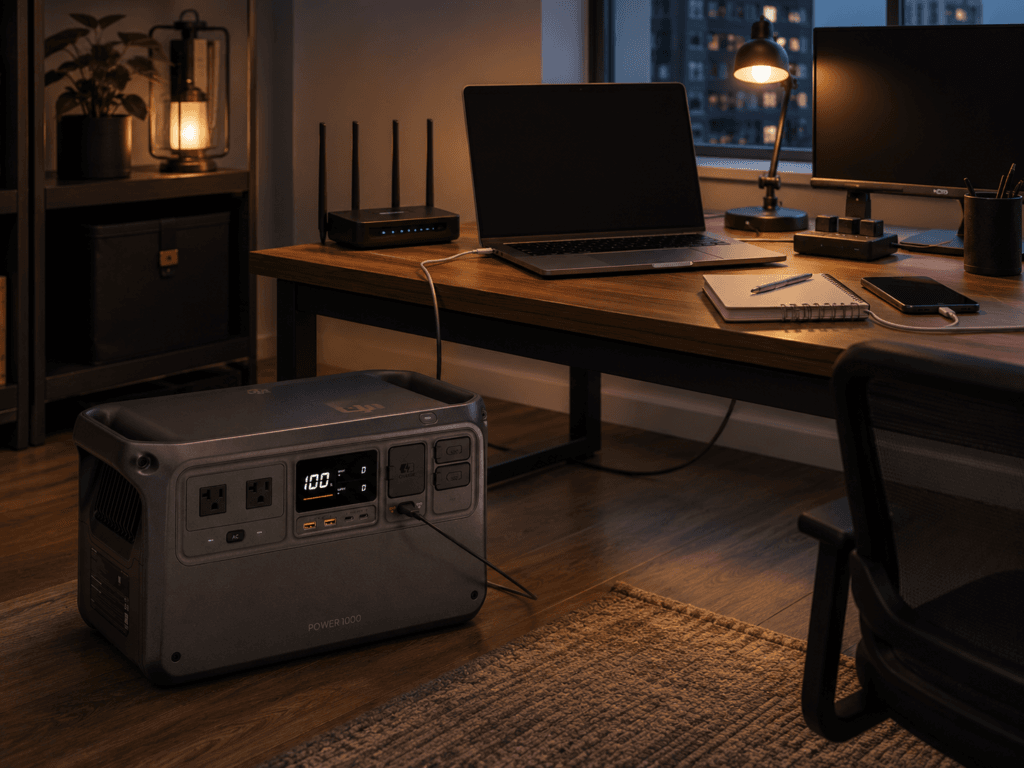
The DJI Power 1000 is the best fit for a buyer whose portable power station for Starlink also needs to support a mobile workstation. The verified Product record identifies 1,024Wh of LiFePO4 capacity and, for the North American DYM1000L configuration, 2,200W of continuous AC output. That is more output headroom than a satellite terminal usually needs, but it becomes useful once laptop charging, a monitor, camera batteries, lighting, and selected field equipment share the station.
Its two 140W USB-C ports matter for compatible laptops and high-power charging hardware. DJI says that full 140W operation depends on a PD 3.1-compatible device and an EPR-rated cable. This does not prove a direct-Starlink power path. It gives the wider work kit another charging option while the satellite hardware continues to use only a verified compatible supply and cable.
Best for: a remote worker, creator, RV traveler, or field operator who needs Starlink plus a laptop-centered work kit and may benefit from DJI’s SDC accessory ecosystem.
Skip it if: your main requirement is the longest possible connectivity reserve, conventional modular expansion, or a very light carry kit.
Main advantage: unusually high continuous output and dual high-power USB-C in a compact 1kWh-class station.
Main limitation: 1,024Wh remains a finite reserve, and DJI solar or SDC functions require compatible separately sold accessories.
Read the DJI Power 1000 Product guide for the verified regional-model and accessory details. A portable power station for Starlink is most useful when its extra output and USB-C capability support a known mobile-work load rather than an unplanned group of appliances.
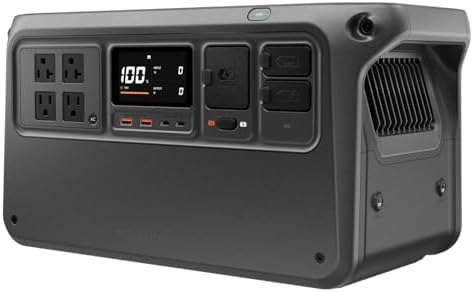
- Power More Than Ever – DJI Power 1000 V2 is a high-capacity solar generator that powers 99% [11] of appliances like kett…
- Charge Fast, Go Far – DJI Power 1000 V2 portable power station recharges to 80% in just 37 minutes [3], so you’re always…
- Uncompromising Safety, Anywhere – This power station features a 1024Wh LFP battery, intelligent BMS, sub-nano coating, a…
BLUETTI Elite 100 V2: best for solar-ready 1kWh flexibility
The BLUETTI Elite 100 V2 is the 1kWh option for buyers who want a portable power station for Starlink with strong published recharge flexibility. Its verified Product record identifies 1,024Wh of LiFePO4 capacity, 1,800W of continuous AC output, Wi-Fi and Bluetooth support, and a manufacturer-listed solar-input ceiling up to 1,000W. Those specifications make it practical for a controlled communications setup that also has a laptop, monitor, router, lighting, and charging needs.
The benefit is not an automatic one-hour solar recharge. A 1,000W input ceiling is the highest compatible input the station can accept under stated conditions, not a promise that portable panels will produce 1,000W. Panel angle, shade, heat, cable loss, weather, season, and battery state change real solar harvest. The value is that the Elite 100 V2 gives a practical compact setup more possible recovery headroom than many small stations.
Best for: a remote worker, vehicle traveler, or off-grid user who needs a balanced 1kWh battery and has a realistic plan to recharge it from wall power, vehicle charging, or compatible solar.
Skip it if: you need multi-day use without a recovery plan, certified UPS behavior for a critical system, or more than 1kWh of starting reserve before solar arrives.
Main advantage: a compact 1kWh class, 1,800W continuous output, and unusually high published solar-input headroom.
Main limitation: output flexibility does not make 1,024Wh a long-duration replacement for a larger battery reserve.
Read the BLUETTI Elite 100 V2 Product guide before purchase. A portable power station for Starlink with a solar-recovery plan still needs enough initial reserve for poor weather, shade, or an extended setup window.

- [1800W Power for Everyday Essentials] – BLUETTI Elite 100 V2 features a 1024Wh capacity and 1800W rated AC output (2700W…
- [45-Minute Rapid Charging] – Powered by advanced 1200W TurboBoost AC fast-charging tech, this solar generator reaches 80…
- [10ms UPS Backup & Whisper-Quiet] – Designed for home reliability, the built-in 10ms UPS switchover keeps Wi-Fi routers …
Jackery Explorer 2000 v2: best for longer connectivity reserve
The Jackery Explorer 2000 v2 is the stronger fit when a portable power station for Starlink needs to protect more hours, not simply supply more ports. Jackery lists a 2,042Wh LiFePO4 battery, 2,200W rated AC output, 4,400W surge peak, three AC outlets, and an approximately 39.5 lb weight. The extra battery capacity is the reason it belongs in this guide. A connection plan that must last longer benefits more from stored watt-hours than from a smaller product with a dramatic peak-output number.
This is not a promise of a particular number of online hours. The exact Starlink kit, AC adapter or other approved power route, laptop, monitor, charging, and other equipment determine the draw. The safe conclusion is that the Explorer 2000 v2 begins with nearly twice the nominal stored energy of the 1,024Wh recommendations before normal operating losses and conditions are considered.
Best for: a rural outage plan, travel base camp, vehicle setup, or remote-work kit where connectivity must coexist with a longer list of priority loads.
Skip it if: you need frequent hand carrying, higher solar-input recovery headroom, or normal modular expansion beyond the base battery.
Main advantage: 2,042Wh of verified LiFePO4 capacity in a relatively compact 2kWh-class design.
Main limitation: it weighs more than the 1kWh recommendations and Jackery lists up to 400W solar input, below the BLUETTI Elite 100 V2’s published input ceiling.
Read the Jackery Explorer 2000 v2 Product guide for verified charging, solar, and weight details. This portable power station for Starlink option is for buyers who value stored reserve more than frequent carrying.
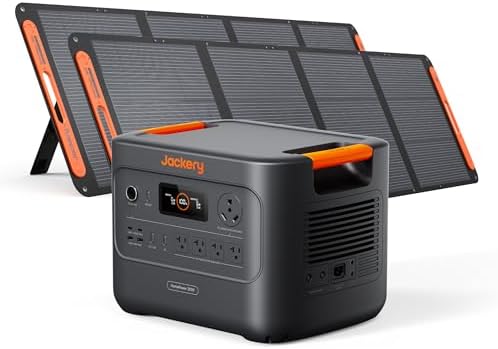
- Essential Home Backup: With a robust 3600W output (7200W surge) and a 3072Wh capacity, the Jackery HomePower 3000 provid…
- ≤20ms UPS: Featuring a UL-certified UPS that switches seamlessly within ≤20ms, the Jackery HomePower 3000 Portable Power…
- Power for Essentials: The Jackery HomePower 3000 keeps your essentials charged at once with versatile AC, USB-C, USB-A, …
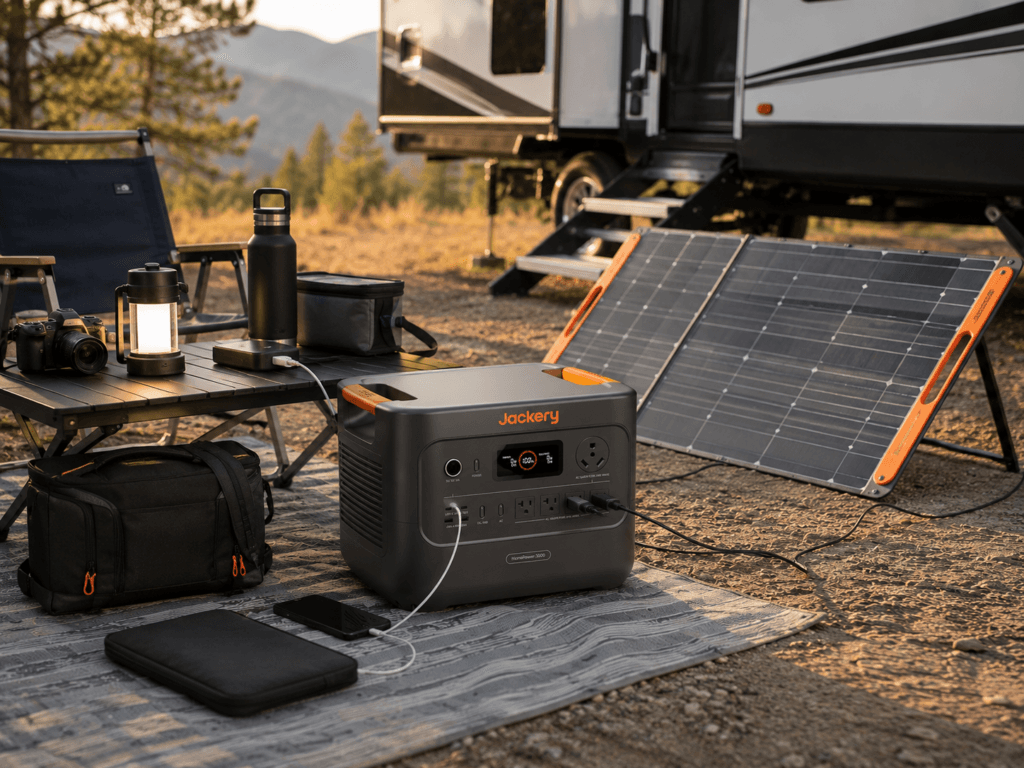
Starlink Mini, Standard, and power paths
Do not use a blanket power claim for every Starlink product. A portable power station for Starlink must be matched to the exact hardware name, regional kit, power supply, and cable arrangement. Starlink Mini is a distinct portable product category, while Standard hardware and other current kits can use different routers, power supplies, connector types, cable lengths, and operating requirements. Confirm current official documentation before buying a cable, adapter, or battery around a remembered specification.
AC power is often the conservative choice when you use Starlink-supplied AC equipment and a portable power station with suitable AC output. It can be easy to set up and troubleshoot, but it adds an inverter and power-brick conversion path. Direct DC or USB-C power can be useful only when the exact Starlink hardware, reputable compatible cable, voltage, current, connector, and power-delivery profile are confirmed. A generic 65W charger, ordinary cable, or an adapter used by a different owner should never be assumed to work.
Test the chosen setup at home before it is needed. Confirm that the equipment starts, remains stable, charges correctly, and does not create unexpected heat. A practice run protects against finding an incompatible cable during a storm, at a remote campsite, or during a work deadline. That simple check is more valuable than a theoretical runtime claim.
Solar recovery for a Starlink power plan
Solar does not remove the need for starting reserve. A portable power station for Starlink needs enough battery capacity for early-morning use, cloud cover, poor panel angle, shade, and a connection load that does not pause when panel input falls. Treat a manufacturer’s maximum solar-input figure as a ceiling, not as a forecast.
The BLUETTI Elite 100 V2 has the highest verified solar-input ceiling in this shortlist, up to 1,000W under its published compatible conditions. DJI Power 1000 can reach up to 800W with the necessary DJI solar accessories. Jackery Explorer 2000 v2 accepts up to 400W through two DC 8mm inputs with compatible panels. Those figures matter for recovery planning, but they cannot support a promise of full daily recharge without considering panels, sun angle, shade, season, temperature, wiring, and the battery’s state of charge.
Choose panels that can be stored, carried, deployed, and aimed safely. A portable power station for Starlink needs a solar arrangement practical enough to use, not merely impressive on a specification sheet. A smaller compatible array used reliably can be more helpful than a theoretical maximum array that never leaves storage. Read PowerLabPro’s portable solar-panel guide for broader panel decisions.
Common Starlink backup-power mistakes
Buying for the dish but not the work kit. Satellite equipment is often only part of the load. A laptop, monitor, phone, Wi-Fi hardware, lighting, camera charger, and other electronics can change the energy plan. Build the complete list before choosing a portable power station for Starlink.
Confusing output with capacity. A high inverter can make a device compatible, but it does not tell you how many hours the battery can support that device. A 2,200W inverter does not turn a 1kWh station into a multi-day power system.
Assuming all USB-C power is interchangeable. USB-C equipment can differ by wattage, voltage, protocol, cable rating, and connector arrangement. Confirm the exact Starlink kit and approved power route before using a direct connection.
Counting on sunlight at the nameplate rating. Solar output varies substantially. Keep reserve for periods when panels cannot meet the connection load, and do not assume a sunny forecast means usable panel placement.
Trying to power the whole home through a portable station. Keep the plan focused on communication and priority devices. Do not backfeed home wiring or use a power station as a substitute for code-governed electrical work.
Skipping the practice run. A portable power station for Starlink should be charged, paired with the correct cables, and tested before it is needed. Confirm the power route, cable placement, and safe shutdown threshold in a calm environment.
Portable power station for Starlink FAQ
What size portable power station should I use for Starlink?
The right size depends on exact Starlink hardware, current power path, desired operating hours, and every other device sharing the battery. A 1kWh-class unit can be practical for a planned connection and work kit, while a 2kWh-class unit provides more stored reserve. Start with the actual load list and sizing guide before deciding.
Can a portable power station run Starlink Mini?
It may, but you must verify the current Mini kit’s official power requirements, exact cable, and the power station’s compatible AC or direct-power output. Do not assume a general USB-C source or a cable used by another owner will match the hardware in your kit.
Is direct DC or USB-C power better than the AC adapter?
Direct power can reduce conversion stages when it is compatible, but it is appropriate only when voltage, current, power-delivery profile, connector, cable, and hardware documentation all agree. The supplied AC path can be simpler and safer for many buyers. Use the method the exact hardware supports, not the method that merely sounds most efficient.
Will a portable power station keep Starlink online during a blackout?
Some stations have pass-through or UPS-style features, but uninterrupted behavior is not guaranteed for every Starlink kit, router, power supply, or connected device. Test the exact configuration before relying on it. Starlink availability also depends on factors beyond local battery power.
Can solar panels keep Starlink running indefinitely?
No. Panel output changes with weather, shade, orientation, season, heat, cable loss, and battery state. Solar can extend the plan or recharge the battery, but it should not be treated as an indefinite service guarantee without a full system calculation and adequate reserve.
Should I also use a home-office or RV guide?
Yes, when that is the actual scenario. Read the home-office backup guide for desk and communication planning, the RV guide for vehicle and solar context, and the UPS guide when switchover behavior matters. Each serves a different buyer question.
Final recommendation by buyer type
Choose DJI Power 1000 when the connection plan is built around mobile work, a laptop, high-power USB-C, and selected creator or field equipment. Choose BLUETTI Elite 100 V2 when you want a 1kWh-class portable power station for Starlink with strong published solar-input headroom and flexible charging. Choose Jackery Explorer 2000 v2 when the central problem is a larger stored-energy reserve for a longer communications window.
The right portable power station for Starlink protects the connection and priority devices without creating a false promise about runtime, solar, or uninterrupted service. Verify exact hardware, test the complete power path before it is needed, keep a reserve for a safe shutdown, and select the battery around the real communications plan.
For wider outage preparation, review Ready.gov’s power-outage guidance and keep power equipment dry, ventilated, and away from hazardous cable routes.
Final Recommendation
DJI Power 1000 for mobile work, BLUETTI Elite 100 V2 for solar-ready 1kWh flexibility, and Jackery Explorer 2000 v2 for longer stored-energy reserve.
Frequently Asked Questions
What size portable power station should I use for Starlink?
The right size depends on the exact Starlink hardware, current power path, desired operating hours, and every other device sharing the battery. A 1kWh-class unit can be practical for a planned connection and work kit, while a 2kWh-class unit provides more stored reserve.
Can a portable power station run Starlink Mini?
It may, but buyers must verify the current Mini kit’s official power requirements, the exact cable, and the power station’s compatible AC or direct-power output.
Is direct DC or USB-C power better than the AC adapter?
Direct power can reduce conversion stages when it is compatible, but it is only appropriate when voltage, current, power-delivery profile, connector, cable, and hardware documentation all agree.
Will a portable power station keep Starlink online during a blackout?
Some stations have pass-through or UPS-style features, but uninterrupted behavior is not guaranteed for every Starlink kit, router, power supply, or connected device. Test the exact configuration before depending on it.
Can solar panels keep Starlink running indefinitely?
No. Panel output changes with weather, shade, orientation, season, heat, cable loss, and battery state. A solar system can extend the plan or recharge the battery, but it should not be treated as an indefinite service guarantee without a full system calculation and appropriate reserve.